
Why free AI apps matter for businesses in 2026
For businesses in 2026, using Artificial Intelligence (AI) is no longer just for big companies with lots of money. Actually, many smart ai free apps are changing the game. These tools make it much easier for businesses of all sizes to start using AI without spending a lot of money upfront.

These days, almost 7 out of 10 businesses in places like the US and UK use AI regularly. A 2026 report found that small businesses are adopting AI, and the availability of free versions of many AI tools is a big reason why. This lowers the barrier, meaning it’s easier for everyone to try out AI and see how it can help. You don’t need a huge tech team or a big budget to get started anymore.
So, how can businesses use these ai free apps? Think about common tasks that take a lot of time. For example, some of the best free ai sites can help you write emails, create social media posts, or even design simple graphics. If you need to find quick answers or research topics, a best free ai search engine can give you information much faster. These uses show how helpful ai for business can be right away. They can help your team be more productive and focus on bigger tasks.
Using these tools is a great way to explore what AI can do for your company. It lets you experiment and learn without any major risk. If you’re looking for a good place to start, we have a helpful guide to many of these helpful tools in our Your Curated Free AI Tools List.
Want to keep up with all the new AI tools and trends? Get clear daily AI updates from The Deep View Newsletter.
Using ai free apps is a great first step, but how do you know which ones are right for your business? It’s not enough to just pick any tool; you need to evaluate them carefully. Think of it like picking a new employee. You wouldn’t hire someone without checking their skills, right? The same goes for any ai for business tool, even if it’s free.
Practical Steps to Evaluate Free AI Apps
When looking at different ai free apps, there are a few important things to check:
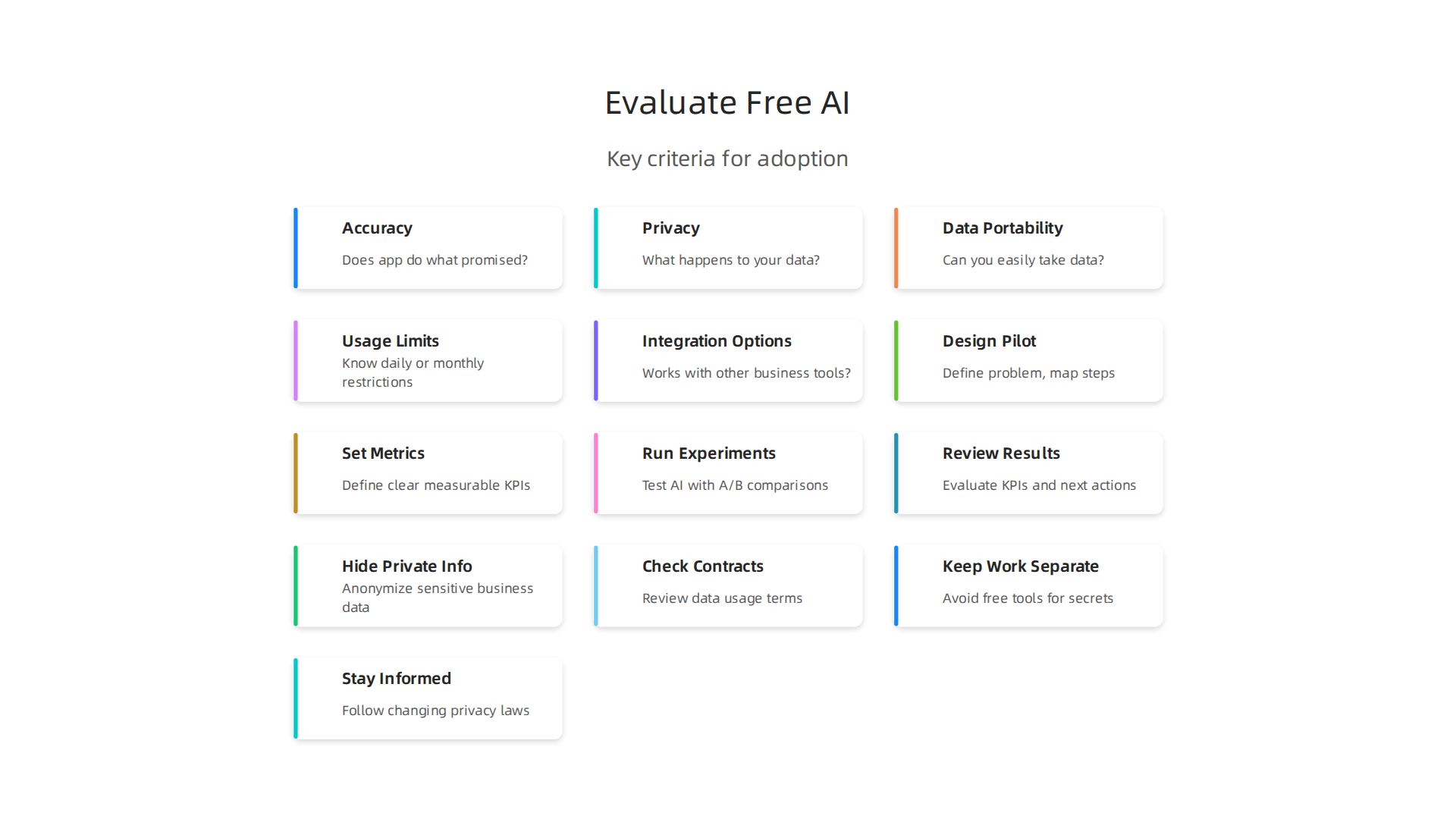
- Accuracy: Does the app do what it promises, and does it do it well? For example, if you use a free AI sales playbook generator, is the playbook actually useful and correct? You want to make sure the information it gives you is reliable. In fact, many small businesses use AI tools for general business research and content creation, so accuracy is key for trusted results in 2026.
- Privacy: This is a big one. What happens to the data you put into the app? Does the company keep it? Do they use it to train their AI? Always read the privacy policy to understand how your business information is handled. Keeping your company’s secrets safe is super important. To learn more about common issues, you can read about uncovering the real harms and risks of artificial intelligence.
- Data Portability: Imagine you’ve used a free AI tool for a year, and now you want to switch to a different one or even a paid version. Can you easily take your data out of the old app and move it to the new one? If not, you might get stuck.
- Usage Limits: Free means "free" up to a point. Many best free ai sites will have limits. Maybe you can only generate a certain number of words, images, or searches per day or month. Know these limits so you don’t get surprised when your team needs more.
- Integration Options: Does the free AI app work well with the other tools your business uses? For example, if you use a specific email system, can the AI help write emails directly in it, or do you have to copy and paste? Good integration makes your work much smoother. This is part of understanding AI domains and platforms.
Deciding Between Pilot and Production Use
When you first try an ai free app, it’s often best to treat it as a "pilot." This means you use it for smaller, less important tasks to see how it works.
- Pilot Usage: Start small. Maybe one person on your team tries a best free ai search engine for basic research for a week. Or you use a free AI writing tool for internal memos, not customer-facing content. This helps you learn how the tool fits into your workflow without much risk. If it doesn’t work out, no big deal.
- Production Usage: Once you’ve tested an ai free app in a pilot and it proves to be accurate, secure, and helpful, then you might think about using it for more important, daily tasks. This is when it moves into "production." Before you do this, make sure you’ve truly thought through the privacy and data handling rules, especially for any critical business operations. Even free tools need a thoughtful approach, just like any other business asset. If you are serious about using AI in your business, take a look at our AI tools guide evaluate implement and invest smartly.
After thinking about how to check new apps, it helps to know the main types of ai free apps out there. Different kinds of AI tools fit different needs for your business.

Let’s look at the core categories and where they might work best, whether for a small test or for everyday use.
Top categories of free AI apps and where they fit in the stack
When you look for [ai free apps], you will see many different types. Each one can help your business in a special way.
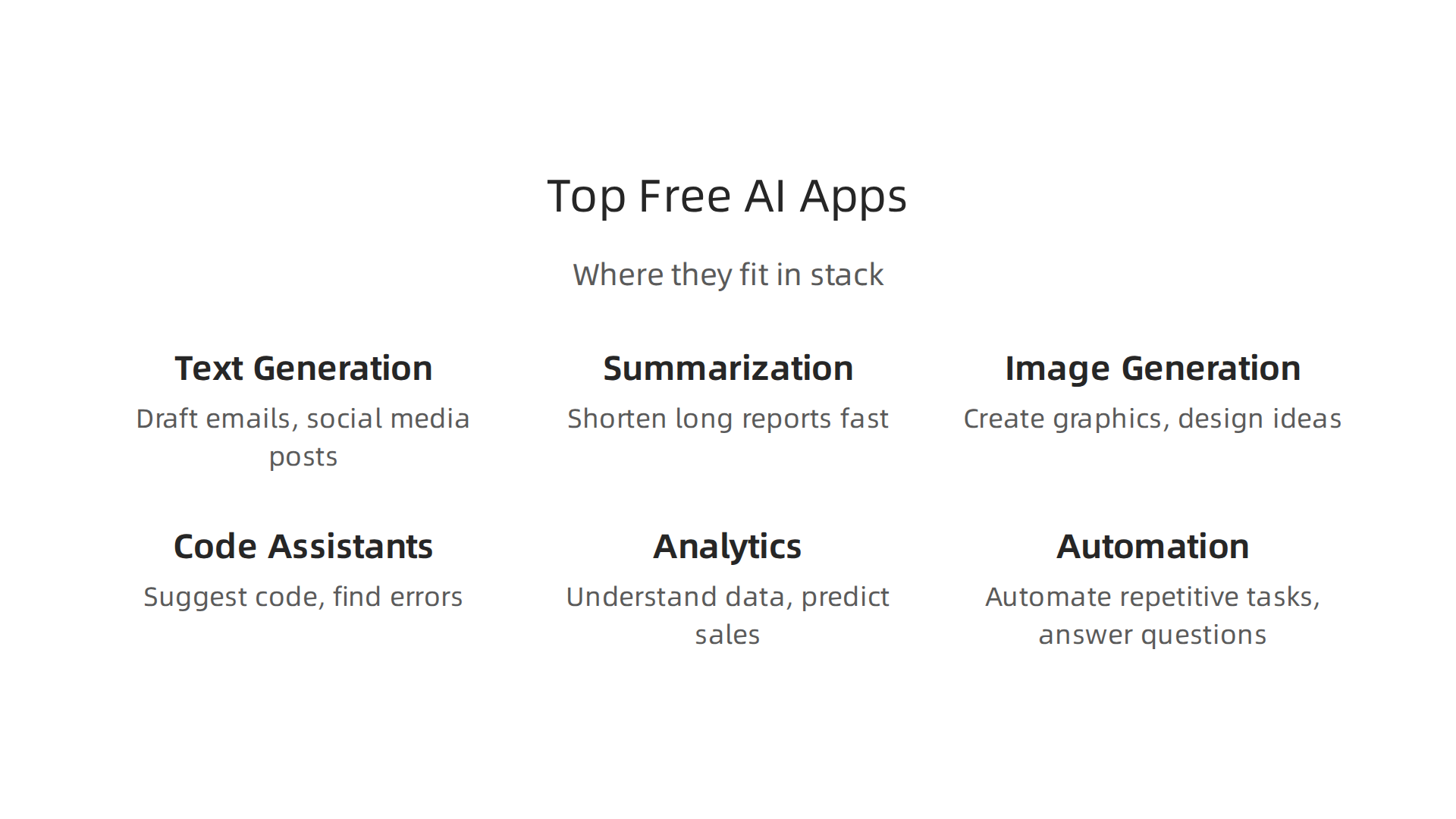
- Text Generation: These tools help you write. They can draft emails, create blog post ideas, or even help with sales messages. For a small business, you might use a text generator as a pilot for internal notes or social media captions. If it works well, it can move to production for first drafts of marketing content, helping your [ai for business] efforts.
- Summarization: Need to read a long report quickly? Summarization tools can take big texts and make them short. This is great for saving time and getting the main points fast. Using an AI summarizer tool can quickly become a core production tool for many businesses because it boosts how much work you can do.
- Image Generation: These apps create pictures from words. You can use them to make quick graphics for social media or ideas for new product designs. They are often good for low-risk pilots, letting you play with ideas without needing a designer right away.
- Code Assistants: If your business has a team that writes computer code, these tools can help them. They suggest code, find errors, and make coding faster. For developers, a best free AI coding assistant can quickly move from a pilot tool to a regular part of their workflow, making them more efficient.
- Analytics: AI analytics tools help you understand your data. They can spot trends, predict future sales, or show you what customers like. For [ai for business], these tools are super important. While you might start with a pilot for a small dataset, strong analytics can become a vital part of your production system for making big business decisions.
- Automation: These apps help make tasks automatic. This could be answering common customer questions or sorting emails. After testing, automation tools can be a game-changer for production, taking over repetitive jobs so your team can focus on more important work.
Many of the [best free ai sites] offer tools in these categories. While some might start as fun experiments, like using a [best free ai search engine] for casual research, others have the power to change how your business runs every day. Planning carefully for your AI pilot programs is key to success before you commit to full-scale use, as experts suggest for successful AI adoption in businesses for 2026, according to a guide on The AI Pilot Program.
To keep learning about AI and how it’s shaping the business world, consider subscribing.
The AI Newsletter Worth Reading will give you clear daily AI updates from The Deep View Newsletter. Understanding these tools helps you embrace AI for everyone and unlock new opportunities for your company.
Step-by-step pilot plan: from selection to measurement
After learning about the different kinds of AI tools, the next step for your business is to test them out. This means setting up an AI pilot program. A pilot is a small test to see if an ai free app or tool truly helps before you use it everywhere. Doing this the right way is key to making sure your [ai for business] efforts pay off.
Design Your AI Pilot Program
To start a good AI pilot, you need to be clear about what you want to achieve.
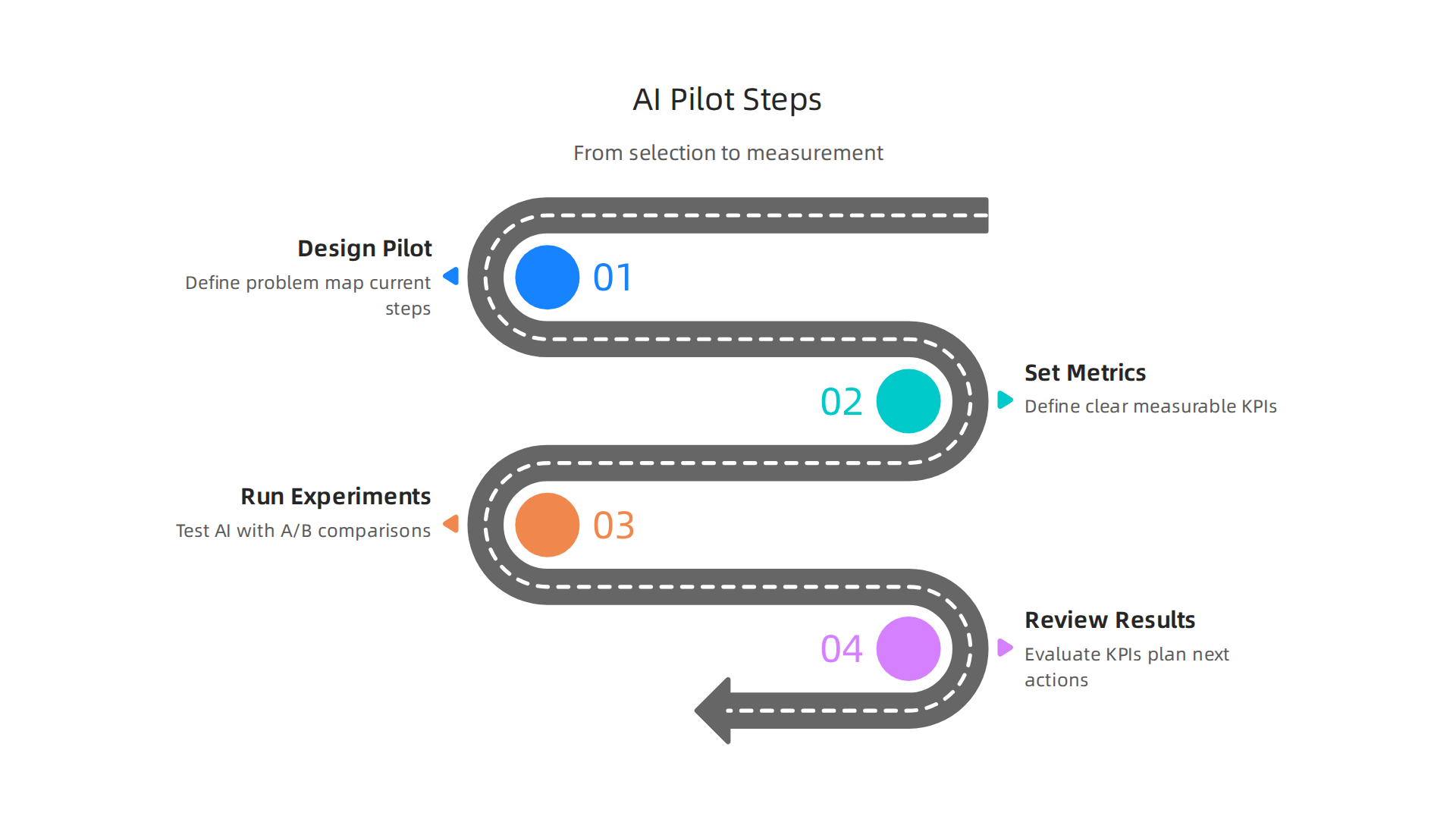
Think of it as a short journey, usually about 30 to 90 days. During this time, you should pick a specific problem you want the AI tool to solve. For instance, do you want to write emails faster, or get better ideas for social media?
Experts suggest that before you commit to using AI widely, you should define your business problem and map out your current work steps. This helps you choose the right AI tool and understand how it will fit in. You also want to focus on [ai free apps] or low-cost options first to avoid getting stuck with one provider too soon. This helps keep your options open, ensuring minimal vendor lock-in. For a structured approach to planning your pilot, a helpful guide is "AI Pilot Projects: Plan Measurable" which outlines key steps like selecting the use case and mapping workflows AI Pilot Projects: Plan Measurable.
Setting Clear Success Metrics and KPIs
Once you know what you’re testing, you need to figure out how you’ll measure if it’s working. These are called Key Performance Indicators, or KPIs. KPIs are like scorecards that tell you if your pilot is a success. They should be clear and easy to measure.
For example, if you’re testing an AI tool to write marketing emails, a good KPI might be how much time your team saves, or if more customers open those emails. It’s really important to set up how you’ll track these numbers from the very start. This means recording all the details about how the AI is used and what results it gives, which is important for measuring real benefits Pilot Implementation with Real Metrics. Without clear measures, it’s hard to know if the AI tool is truly adding value to your business.
Experiment Templates and KPIs for Different Business Functions
Let’s look at some examples for different parts of your business:
- Sales:
- Experiment: Use an [ai free app] to draft initial sales emails to potential customers.
- KPIs: How many emails get sent out per hour, how many replies you get, and how much time the sales team saves writing these emails.
- Marketing:
- Experiment: Use an AI image generation tool or text generator from one of the [best free ai sites] to create ideas for social media posts or blog titles.
- KPIs: How quickly new content ideas are generated, how many people see or interact with the AI-generated posts, and if your team can make more content.
- Operations:
- Experiment: Use an AI tool to summarize long customer feedback reports or internal meeting notes.
- KPIs: Time saved reading reports, how many key insights are easily found, and how quickly staff can act on that information.
To make sure your results are solid, you can try different ways of testing, like A/B testing. This means some tasks are done with AI and some without, so you can compare the outcomes directly. Measuring and realizing the full value of AI requires building measurement into the rollout The five-layer AI measurement framework. This way, you can clearly see the impact on your business.
Reviewing Results and Next Steps
After your 30 to 90-day pilot, it’s time to check your KPIs.

Did the [ai free apps] meet your goals? Did they save time or make things better? If the results are good, you can think about using the AI tool on a larger scale. If not, that’s okay too. The pilot helps you learn without spending too much money or time. Companies often use frameworks to evaluate AI from a real-world perspective to truly understand its value CIRCLE: A Framework for Evaluating AI from a Real-World Lens. This helps you make smart choices about how to best use AI to help your business grow. To learn more about how AI can transform your company, consider exploring resources on AI-driven leadership for 2026 transformation and growth.
After your AI pilot program shows good results, the next step is to think about using AI tools more widely. But before you do that, it’s super important to understand the risks involved. This is especially true for [ai free apps] or tools, where data privacy, intellectual property (IP), and following rules can be tricky. You need to protect your business and its secrets.
Practical Safeguards: Data Privacy and IP
When you use any AI tool, especially a free one, you are trusting it with your company’s information. A big worry is that some [ai free apps] might use the data you put in to make their AI better, which means your sensitive business data could accidentally be used by others. This is a real concern for data privacy and intellectual property. For example, some new rules even stop AI services from using data to train third-party AI systems, showing how serious this issue is [Innovation Law Insights – 20 July 2026].
To keep your information safe, think about these steps:
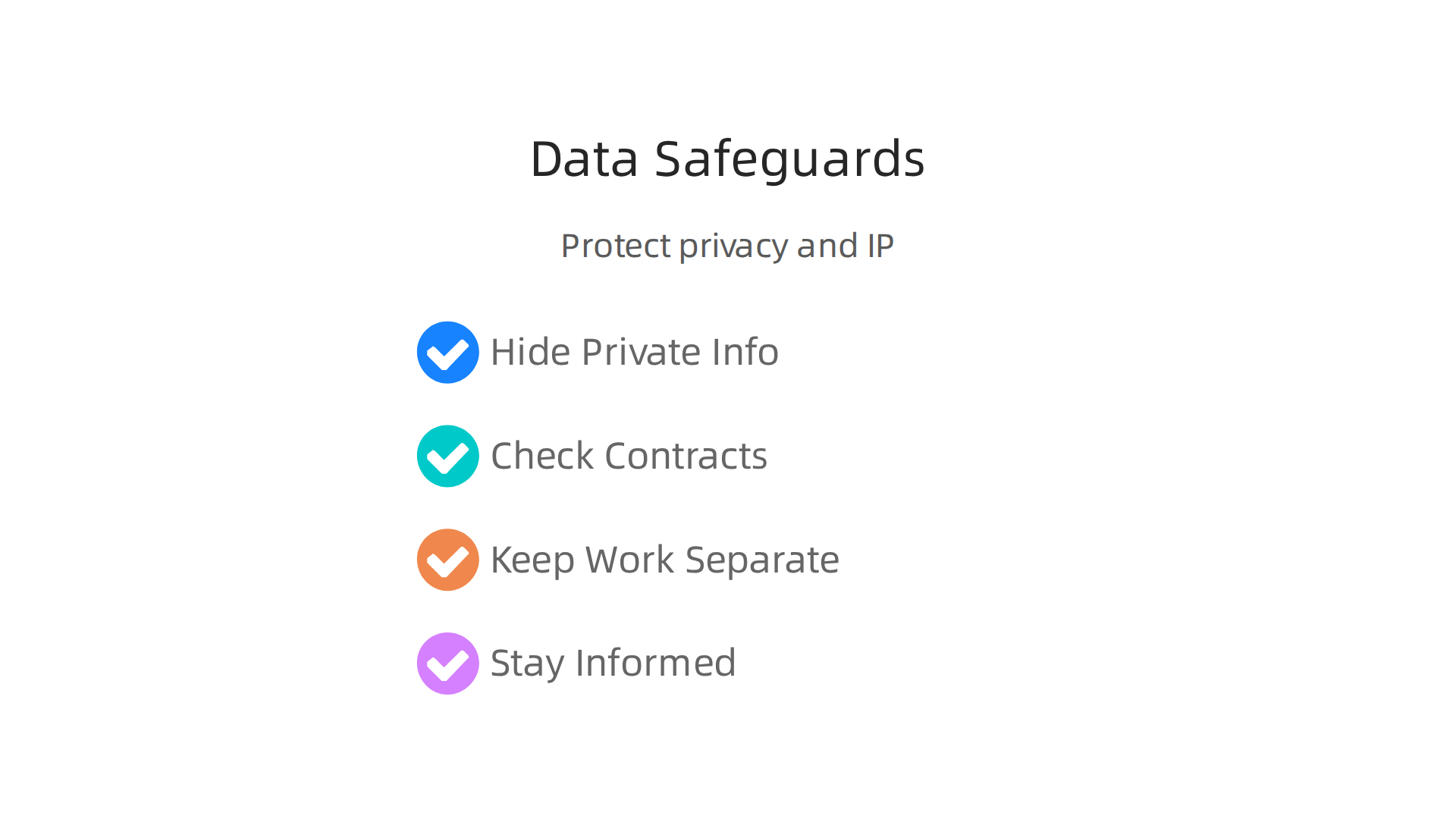
- Hide Private Information: Before you feed any data into an AI tool, especially an [ai free app], make sure to remove any sensitive details that could identify people or important company secrets. This is called data anonymization.
- Check Contracts Carefully: For any AI tool you use, even if it’s free, try to find and read their terms of service or contracts. Look for clear rules about how they use your data. Do they promise not to use your data to train their models or share it with others? Making sure vendor contracts address data protection is a key part of AI compliance in 2026 [Data Privacy and AI in 2026: What Professional Services Firms …].
- Keep Sensitive Work Separate: Do not use [ai free apps] for tasks that involve highly secret or private information. For example, if you’re dealing with customer medical records or new product ideas, it’s safer to keep those away from public or free AI tools. Understanding the potential harms of AI is a good way to start when figuring out what to protect [Why is AI Bad].
- Stay Informed on Rules: Laws about data privacy and AI are always changing. In 2026, it’s important to keep up with these changes to make sure your business is always following the rules. This includes rules like GDPR and other new data privacy laws around the world [Data Privacy Laws in 2026: A Practical Guide for Global Compliance].
When to Avoid Free Tools and Move to Paid Solutions
While [ai free apps] are great for testing and small tasks, they often come with fewer guarantees about data security and intellectual property rights. For important parts of your [ai for business] strategy, like handling customer data, financial records, or developing new products, relying on free tools can be too risky.
If your pilot program shows that AI can really help your business, but the tasks involve sensitive information, it’s time to think about upgrading. You might need to invest in paid AI solutions that offer stronger security, clear contracts about data ownership, and better customer support. These tools often have specific agreements that promise not to use your data for training or sharing.
Sometimes, for the highest level of security and control, businesses even choose to build their own AI systems in-house or use open-source AI software that they can control completely. This gives them full say over how data is handled. Learning about [Open Source AI Software] can help you see another path to more control.
Staying updated on the fast-changing world of AI is vital for making smart choices about security and compliance.
Ready to dive deeper into the world of AI and get reliable insights?
The AI Newsletter Worth Reading will give you clear daily AI updates from The Deep View Newsletter.
After making sure your business data and ideas are safe, the next big question is: when should you stop using free AI tools and start paying for better ones? While [ai free apps] are great for getting started, there comes a time when they might not be enough for your business needs.
Scaling: When to Switch from Free Apps to Paid Tiers or Custom Solutions
It’s important to know when to move beyond the free options for your [ai for business] goals. Think about these signs that it’s time to upgrade:
- You Need Constant Reliability: Free tools often don’t promise that they will always work perfectly or be available when you need them most. If your business depends on AI tools running all the time, or if downtime costs you money, then free apps are too risky.

Paid services usually come with a Service Level Agreement (SLA). This is like a promise from the company that their AI tool will work a certain amount of time, say 99.9% of the time, and if it doesn’t, they might pay you back. This kind of promise is key for keeping your operations smooth.
- Your Usage is Growing Fast: Many [ai free apps] have limits on how much you can use them. For example, a [best free ai search engine] might only let you do a certain number of searches each day. If your team is using AI more and more, you’ll quickly hit these limits. Constantly finding workarounds or switching between different [best free ai sites] can waste a lot of time and effort. Paid versions let you use as much as you need without interruptions.
- You Need Special Features and Support: Free tools usually offer only basic features. As your business grows, you might need more advanced functions, better ways to connect AI with your other systems, or help from experts when something goes wrong. Paid AI services give you more features and dedicated customer support, which means you can get help quickly if you run into problems. Some larger businesses even choose to build their own systems or use open-source tools for total control, especially when sensitive data is involved. For example, new guidelines in 2026 emphasize the need for robust governance frameworks when using AI, pointing to the complexity of scaling responsibly [AEPD publishes guidance on Agentic Artificial Intelligence …].
Comparing the Real Costs: Free vs. Paid AI
When you think about moving from [ai free apps] to paid ones, it’s smart to look at the "total cost of ownership." This means not just the price tag, but all the hidden costs and benefits.
Let’s break it down:
- Cost of Free Tools + Workarounds:
- Time Wasted: Your team might spend hours each week dealing with limits, finding different free tools, or fixing problems that don’t have good support.
- Security Risks: As discussed earlier, free tools often have fewer guarantees about data privacy and intellectual property, which could lead to bigger problems later. Understanding your compliance duties is a crucial part of this, as laid out in the 2026 data security and privacy checklist [2026 Data Security and Privacy Compliance Checklist].
- Lost Opportunities: If a free tool breaks down or can’t do what you need, your business might miss chances to serve customers or make money.
- Cost of Paid Tools + Benefits:
- Clear Monthly Fee: You pay a set amount, and you know exactly what you’re getting.
- Guaranteed Uptime and Support: Less downtime means less stress and lost work. Expert help means faster solutions.
- Better Security and Contracts: You get clear agreements about how your data is used, keeping your business safe. This is a key part of AI GDPR compliance in 2026 [AI GDPR Compliance: Guide for Data Controllers (2026) – Brain].
- More Features: You can do more with AI, which can help your business grow and be more creative.
Sometimes, the money you save by not having your team waste time, by avoiding security issues, and by having a reliable system, can be much more than the cost of a paid AI solution. For businesses looking to scale their use of AI effectively, investing in reliable enterprise AI software in 2026 can be a wise choice. It’s about looking at the whole picture, not just the "free" price tag.
Moving beyond how much AI costs, let’s look at how different parts of your business can start using AI today. Even with many [ai free apps], you can get real work done quickly. The key is to know how to ask AI for what you need. These simple steps can help your team get valuable results in just a few days, not months.
Real-world examples and quick-win templates for different teams
Using AI for your business does not have to be a big, complicated project. You can start small, get quick wins, and build up from there.
For the Marketing Team
Marketing teams can use [ai free apps] to get fresh ideas and draft content faster.
- Idea Generator: Need ideas for your next social media campaign? Ask an AI: "Give me 5 catchy social media post ideas for a new organic coffee brand launching this spring."
- Drafting Tool: Get a quick start on blog posts or emails. For example: "Write a short blog paragraph about the benefits of waking up early."
Many companies are using AI to reshape how they plan their campaigns, as highlighted in The 2026 AI Marketing Playbook.
For the Sales Team
Sales teams can use AI to make their outreach better and quicker.
- Email Helper: Have AI draft a first version of an email to a new lead. Try: "Write a friendly email introducing our new software to a small business owner, focusing on how it saves them time."
- Sales Guides: Create quick "battle cards" or short scripts for common questions. There are many [best free ai sites] that can help with this. AI tools are becoming crucial for building winning sales plans, according to the Best AI for Creating Sales Playbooks 2026.
For the Product Team
Product teams can use AI to understand customers better and write clear descriptions.
- Feedback Summarizer: If you have many customer reviews, ask an AI: "Summarize the main points from these 10 customer reviews about our new app."
- Description Writer: Get help writing clear product features. For instance: "Write a clear, short description for a new app feature that lets users share photos privately."
For the Operations Team
Operations teams can use AI to streamline daily tasks and improve how they share information.
- Internal Communication: Draft important announcements or memos. Ask: "Write a short email to all staff about the new holiday schedule for 2026."
- FAQ Creator: Build quick answers to common questions for your team or customers. "Create 5 frequently asked questions and their answers about our new return policy."
Common Pitfalls and Easy Fixes
Even with [ai for business] tools, there are a few things to watch out for:
- Not checking AI output: AI tools can sometimes make mistakes or "hallucinate" facts. Always read and edit what the AI gives you to make sure it’s correct and sounds like your brand.
- Giving unclear instructions: If you ask for something vague, you’ll get a vague answer. Be very specific about what you want. Tell the AI the role it should play (e.g., "Act as a marketing expert") and what your goal is.
To make sure you’re always using the best strategies and avoiding common mistakes, it’s good to keep learning. You can find many helpful options for learning more about how to use tools effectively in our guide to Your curated free AI tools list boost productivity and creativity in 2026. Staying informed is a powerful way to master AI.
Ready to dive deeper into the world of AI and technology?
Get clear daily AI updates from The AI Newsletter Worth Reading.
Summary
This article explains why free AI apps are an important entry point for businesses in 2026 and shows how to use them safely and effectively. It covers practical evaluation criteria—accuracy, privacy, data portability, usage limits, and integrations—so you can pick tools that actually help. The piece recommends starting with small pilots (30–90 days), setting clear KPIs, and using A/B tests to measure real impact before moving to production. It walks through core free app categories (text, summarization, image, code assistants, analytics, automation) and gives team-ready templates for marketing, sales, product, and operations. The guide also highlights data-privacy and IP risks with free tools and explains when upgrading to paid, open-source, or in-house solutions makes sense. Overall, you’ll learn how to test AI affordably, protect your business, measure outcomes, and decide the right moment to scale up.