
Why a curated free AI tools list matters for creatives and professionals
The world of AI is growing super fast in 2026. New tools pop up every single day. This is very exciting, but it also means there are so many options to choose from. For people who create things or work in different jobs, like marketing or design, it can feel like too much to handle. How do you find the best tools without spending money? How do you know which ones actually work well and are truly free? This is a common problem for many professionals and creatives today.

It’s hard to tell the good tools from the ones that don’t help much. Many articles just list a lot of tools without really checking them to see if they are useful. This means you might waste time trying tools that don’t actually boost your work. You need trusted information to pick the right ones for what you do, whether you’re a designer, a writer, a student, or a business owner. Knowing which tools are truly helpful and free can make a big difference in your daily tasks. For example, a 2026 survey showed that students are increasingly using generative AI tools for their studies, proving how common these tools are becoming across many different fields Student Generative AI Survey 2026.
That’s why a good, carefully checked free AI tools list is so important. In this guide, we will help you sort through all the noise. We promise to give you a practical and trusted list of free AI tools. We will show you which tools are best for different tasks. Think about writing, designing, making audio or video, and even just getting more done every day. We’ll look at tools like an AI presentation maker free option, powerful AI powered content creation platform choices, and even simple AI coding platforms that don’t cost anything.
Our main goal is to help you find the best free AI tools that actually work for you. We want to save you time and help you create amazing things. This way, you can improve your work and be more creative without needing to pay for expensive software. By understanding these tools, you can stay ahead in your field and make smarter choices. To learn more about how to choose and use AI tools smartly, you might find our guide on AI tools guide evaluate implement and invest smartly in 2026 helpful.

Staying updated on the latest AI developments is also key for any professional.
Ready to cut through the noise and get daily, in-depth AI and technology insights? The AI Newsletter Worth Reading.
How to evaluate free AI tools: a practical checklist
Finding the right free AI tool is like looking for a hidden gem. It takes a bit of digging and knowing what to look for. Since there are so many options in any free AI tools list, you need a smart way to check them. This helps you pick tools that truly help you with your creative work or daily tasks. Let’s go through a simple checklist to make sure you choose well.

Your checklist for picking free AI tools
Here are some important things to think about before you start using any free AI tool:
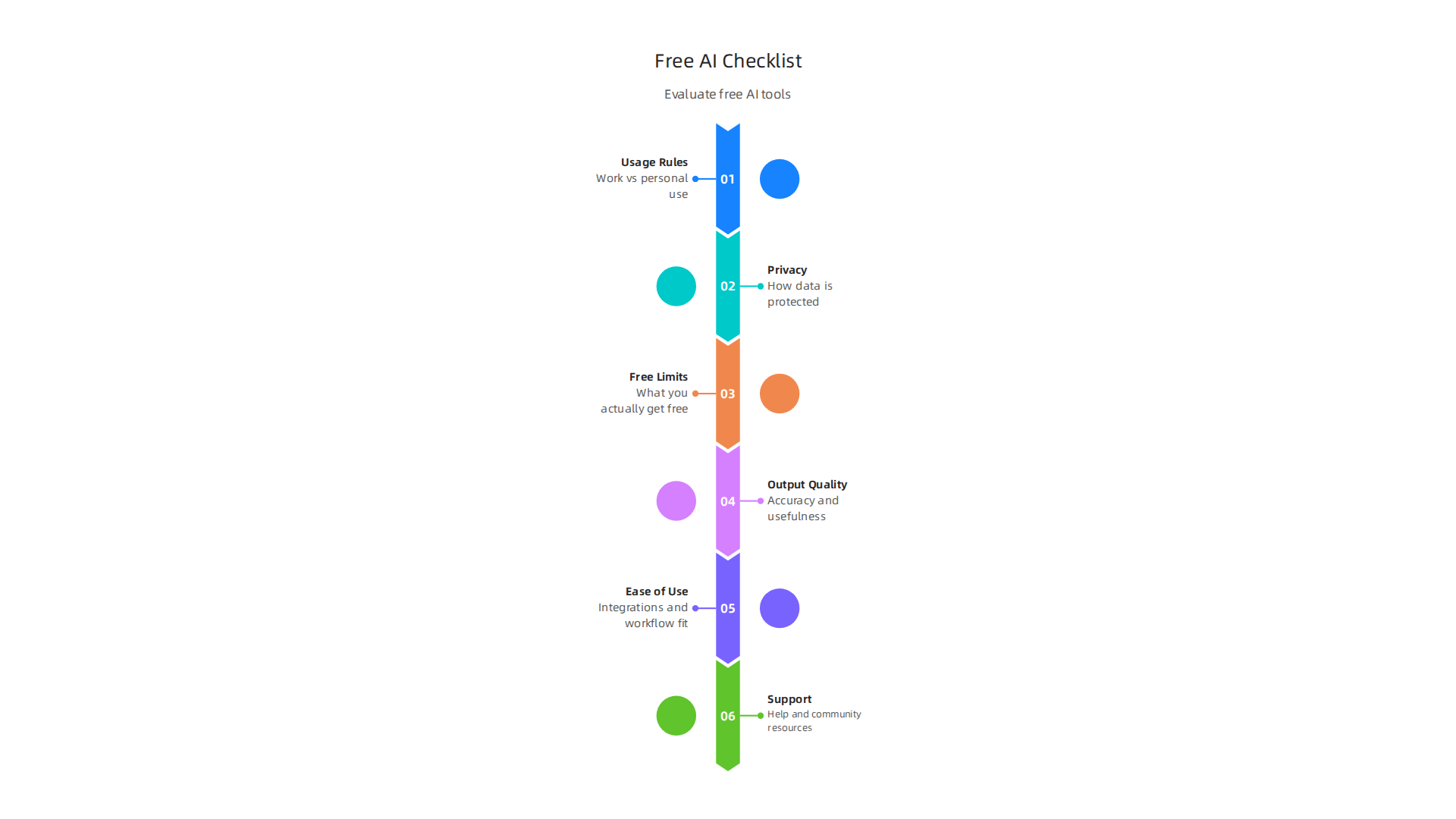
- Understand the Rules (Licensing and Usage): Even if a tool is free, it has rules. You need to know if you can use what it creates for work or if it’s just for fun. Check if there are any special licenses. Some tools, for example, might be fine for personal use but not for making money.
- Privacy and Your Data: When you use an AI tool, you often put your information into it. How does the tool keep your data safe? Will it use your information to get better itself? It’s good to know these things, especially if you’re dealing with private work or client details.
- Real "Free" Limits: Many tools have a "free tier" or free plan. But this often comes with limits. For example, a tool might give you only a certain number of uses per day, or it might not have all the best features. It’s important to understand what you actually get for free. Some tools like ChatGPT and Leonardo.ai offer free options but come with daily usage limits The 12 Best Free AI Tools in 2026 (Genuinely Free, Tested).
- Output Quality: Does the tool do a good job? If you’re using an AI powered content creation platform, is the writing clear and helpful? If you’re looking for an AI presentation maker free option, do the slides look professional? The results should meet your needs.
- Ease of Use and Integration: How easy is the tool to learn and use? Does it work well with other programs or apps you already use? For example, if you find a great AI coding platforms tool, does it fit into your existing coding setup? Tools that fit smoothly into your workflow save you time.
- Community and Support: What if you get stuck? Is there a helpful community online, or can you find answers easily? Good support, even for free tools, makes a big difference.
Thinking about trade-offs with free AI tools
When you choose free AI tools, you often make some trade-offs. It’s good to be aware of these:
- Free Tier vs. Paid Upgrade: Most free AI tools are simpler versions of paid ones. The free version lets you try things out, but the paid version usually offers more power, speed, or advanced features. For example, a free writing tool might have a lower word count or fewer templates than its paid counterpart.
- Open-Source vs. Hosted Tools: Some free AI tools are "open-source." This means their code is public, and you can change it if you know how. Other free tools are "hosted," meaning a company runs them for you. Open-source tools might give you more control but can be harder to set up. You can learn more about how open-source software can give you more control in our guide on open source AI software delivers cost savings and full control in 2026.
- Speed and Handling Big Tasks: Free tools might be slower, especially when many people are using them. This is called "latency." They also might not handle very big projects as well as paid tools. If you need something super fast or for a huge task, a free tool might not be the best choice.
By keeping this checklist and these trade-offs in mind, you can make smarter choices and find the best free AI tools to help you shine.
Now that you know how to pick the best free AI tools, let’s look at some popular types, especially those that help with text and writing.
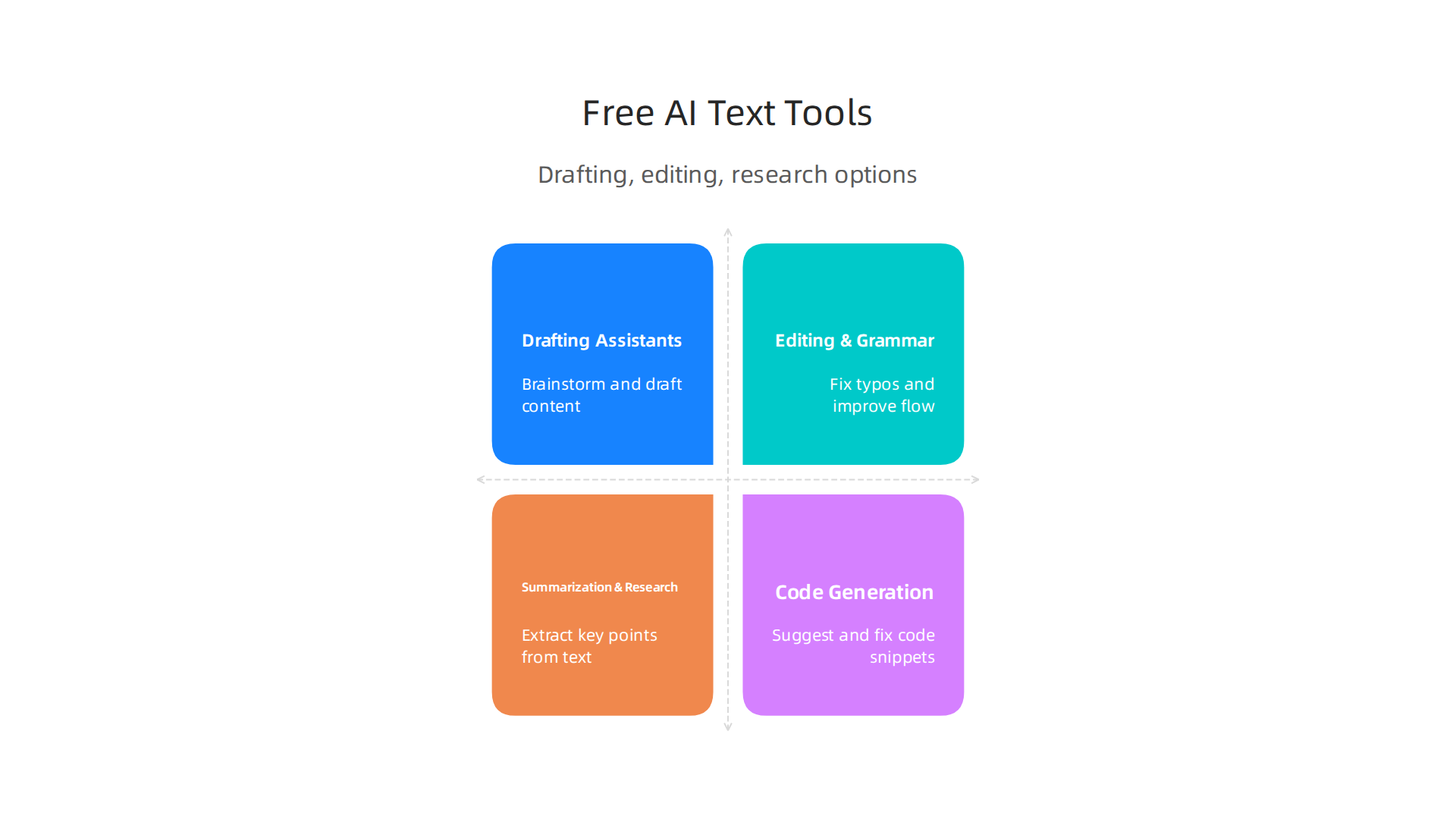
These tools can make your daily tasks much easier, from starting a new article to fixing small mistakes in your emails.
Drafting assistants: getting your ideas started
Imagine you have a big writing project but don’t know where to begin. Free AI drafting assistants can help you brainstorm ideas, create outlines, or even write first drafts. They are like a helpful partner for your thoughts. Many people use tools like ChatGPT and Claude to kickstart their writing projects because these tools can understand what you want and offer helpful text. Rytr is another popular choice for all-around text creation The 6 best AI writing generators in 2026.

These AI powered content creation platform options are great for experimenting and getting past writer’s block without spending money Best AI Writing Tools in 2026: Reviewed for AEO Performance.
Editing and grammar tools: making your words shine
Once you have your words on paper (or screen), you need to make sure they sound good and are free of errors. This is where free AI editing and grammar tools come in. They can spot typos, suggest better words, and help improve how your sentences flow. Grammarly and QuillBot are well-known examples. QuillBot, for instance, can help you rephrase sentences, though its free version has limits on how many words you can change at once 27 Best AI Writing Tools in 2026 (Tested & Reviewed). These tools are great for quickly polishing your work. If you’re looking for ways to make your AI-generated text sound more like a human wrote it, we have a guide on how to humanize AI text with proven techniques and top tools.
Summarization and research helpers: quick facts and insights
Sometimes you need to understand a lot of information fast. AI summarization tools can take long articles or documents and give you the main points. This is super helpful for research or when you need to quickly grasp a topic. Tools like Perplexity are good for research because they can give you answers with sources, like mini reports. You can learn more about picking the best tool to boost your productivity in our guide on AI summarizer pick the best tool boost productivity and measure roi.
Code generation tools: helping developers build
For those who write computer code, there are also free ai tools list options that can help. These ai coding platforms can suggest lines of code, find errors, or even generate small pieces of code for you. This can save a lot of time and make coding easier, especially for new programmers. If you are a developer looking for free help, check out our comparison of the best free AI coding assistant in 2026 tested and compared.
Understanding commercial use for AI-generated content
One very important thing to remember about content made by free AI tools is checking the rules for how you can use it. Just because a tool is free doesn’t always mean you can use its output for your business or to make money. Some tools are only free for personal use. Others might let you use the content for commercial projects but ask that you give them credit. Always look at the licensing details to make sure you’re following the rules. This is very important if you’re using an ai presentation maker free or an AI writing tool for your work.
Staying on top of the latest AI tools and trends is crucial. To get clear, daily updates on the world of AI, consider subscribing.
The AI Newsletter Worth Reading
After exploring AI tools for writing and code, let’s now look at how free AI can help with images and design.

These tools are changing how we create visual content, making it easier for everyone to design beautiful things.
Free AI image generators and editors
Imagine you need a picture for a project but can’t find the right one. Free AI image tools can create new pictures from just your words. This is very helpful for making What Artificial General Intelligence Images Actually Mean, marketing materials, or even small icons. Tools like Canva AI, Leonardo AI, and Ideogram are great examples.
Canva AI lets you remove backgrounds or make new images. Leonardo AI is known for creating high-quality images. Microsoft Designer also offers free AI image features 25 Best Free AI Tools in 2026 (No Signup Tricks). These options are part of a growing free AI tools list that help everyone become a visual creator.
These ai powered content creation platform options can also help with photo editing. They can fix colors, remove unwanted things from pictures, or even change the style of a photo with just a few clicks. This means you don’t need to be a professional designer to make your images look great. For example, if you are making a presentation, an ai presentation maker free tool might use these image features to quickly add visual flair to your slides. Many of these tools offer free versions with enough features for daily tasks The 2026 AI Creative Tools Guide: Video & Image ….
Important rules for AI visuals
When you use free AI tools to create images, there are important rules to keep in mind. You need to think about who owns the pictures the AI learned from. This is called training data. Sometimes, AI tools use lots of pictures from the internet to learn how to draw. This can lead to questions about who owns the new images the AI makes, or if the original artists were treated fairly. The government is even looking into these issues, as seen in reports on Generative AI Training.
Always check the rules or "terms of service" for any free AI tool you use. Some tools let you use the pictures for anything, even for your business. Other tools might say you can only use the pictures for fun, not for making money. It’s smart to know these rules so you don’t run into problems later. Understanding these guidelines is key to using free ai tools list responsibly in 2026.
After seeing how AI helps with pictures and designs, let’s explore how free AI tools can make sound and music for everyone. These tools are like magic helpers for podcasters, musicians, and anyone wanting to make audio better.
Audio and music tools: free tools for creators and producers
Making podcasts, videos, or even your own songs often means working with sound. In 2026, a growing free ai tools list includes many options for audio.
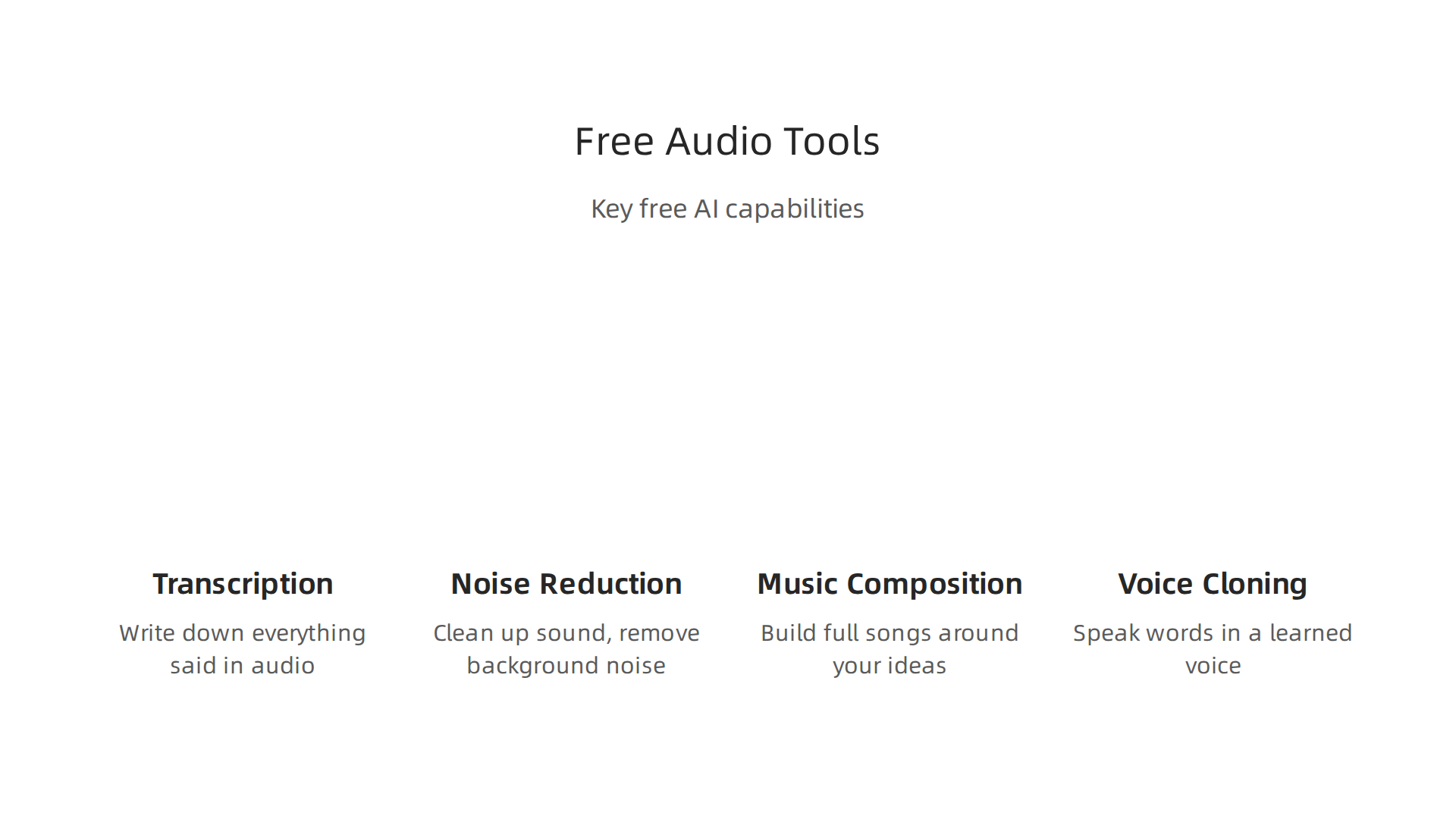
For example, AI can listen to a podcast, write down everything said (this is called transcription), and even take out "um"s and "ah"s, or long silent parts. It can also clean up the sound by removing background noise, making voices much clearer. Many content creators use these ai powered content creation platform tools to make their audio sound professional without needing expensive gear or training. In fact, some AI tools can even automate parts of audio production for big companies Automating Audio/Video Production with AI.
For those who love music, AI can help you compose. Imagine you have a melody in your head, but don’t know how to add other instruments or harmonies. AI music tools can take your idea and help build a full song around it. Some can even create music from scratch based on a few words you type. If you’re curious about how these work, you can learn more about how to use an AI Song Generator in 2026.
Then there’s voice cloning. This is where AI learns from someone’s voice and can then speak new words in that same voice. It’s used for things like making audiobooks or adding voices to games. While this is powerful, it’s very important to use these tools carefully and with permission. We need to make sure voices are not cloned without consent. You can explore how text to speech AI in 2026 works, which is a key part of voice creation. These tools are a part of a larger set of AI video and audio platforms that are becoming very useful for creators in 2026 AI video audio tools 2026 content creators.
Quality vs. control
While free AI audio and music tools are amazing for getting started, there’s a point where you might want more. Free tools usually give you good quality and some control, but for very important projects or professional work, you might need even better sound or more specific control over every detail. This is where paid versions or professional software come in. They often offer higher quality outputs, more advanced features, and greater flexibility. Think of it like a free art set versus a professional one; both can create, but the professional set gives you more choices and better results. When your project demands the best, investing in a paid service often makes sense.
Staying informed about the newest AI tools and trends can help you decide when to switch from free to paid options.
Get clear daily AI updates from The AI Newsletter Worth Reading.
Moving from sound to sight, video and animation are also getting a big boost from AI. Just like with audio, a growing free ai tools list in 2026 helps people create amazing visual stories without needing fancy skills or expensive software. These tools are changing how we make videos for social media, lessons, or even fun animations.
Video, animation, and motion tools: free choices for storytelling
Imagine you want to make a video but don’t know where to start. AI tools can help with many parts of video creation. For example, AI can help you edit videos much faster. It can pick out the best parts of your footage, cut out mistakes, or even make a short highlight reel. This is like having a super-fast assistant who knows exactly what looks good. Many content creators use these smart helpers to make their videos engaging and professional. In 2026, AI is transforming video production for all kinds of uses, from small projects to corporate needs AI Corporate Video Production in 2026.
One of the coolest things is "text-to-video." This means you type a few words or sentences, and the AI makes a video from them! It can create scenes, add characters, and even choose music. This is a game-changer for making explainer videos, short ads, or quick social media clips. You can learn more about how this works by exploring text to video AI in 2026. It’s a fantastic way for anyone to become a video storyteller.
AI also helps with motion design and animation. If you want a logo to move or characters to come alive, AI can help with simple animations or adding special effects. Some tools even make it easy to add captions or subtitles to your videos automatically. This is super helpful for making sure everyone can understand your message, no matter where they watch it. These functions are part of a bigger trend where AI acts as an ai powered content creation platform for many types of media.
When using these free tools, you’ll notice differences in quality. How good the final video looks (output fidelity) can vary a lot. Also, how long it takes the AI to create your video (rendering time) can be different for each tool. Some videos might be ready in minutes, while others take longer, especially for complex animations or higher quality. Getting to know the AI Creative Tools Guide for 2026 can help you pick the right tool for your project. These tools are also designed to work with your existing video programs, making them easy to fit into your normal way of doing things.
Beyond creative tasks like video making, AI is also a big help in making our daily work smoother. Many free AI tools make it easier to get things done, whether you’re working on a team, handling notes, or even writing computer code. These smart tools help us be more productive and work better together.

Boosting Your Daily Work with AI
Imagine your computer or phone could help you manage tasks and meetings. That’s what AI productivity tools do. They can automate simple jobs, meaning they do them for you, so you have more time for important work. For example, some AI tools can take notes for you during meetings. They listen in and write down what was said, so you don’t miss anything. This is super helpful, and you can even find the Best AI Note Taking App for Microsoft Teams to keep your team organized.
AI can also help you make great presentations fast. If you’ve ever had to put together slides, you know it takes time. An ai presentation maker free tool can help you pick layouts, add images, and even suggest what to write, making the whole process much quicker. These tools use AI to understand your ideas and turn them into nice-looking slides.
Free AI Tools for Developers and Teams
For people who write computer programs, AI is also a game-changer. There are many ai coding platforms that act like assistants to coders. They can help write code, fix mistakes, and even suggest new ways to build programs. This means developers can do their work faster and with fewer errors.
Many free AI tools also offer ways to connect different software. Think of them like special connectors that let your favorite apps talk to each other. This is part of a bigger system called API gateways and plugin ecosystems. They help all your digital tools work together smoothly, which is great for teamwork.
Using Free AI Tools Safely with Your Team
While a free ai tools list offers many benefits, it’s important to use them wisely, especially when working with a team. You need to make sure everyone understands how to use them and what information they can share. For example, when you start using a new AI tool, it’s smart to "pilot" it with a small group first. This helps you learn how it works and make sure it’s safe and helpful before everyone uses it. You can learn more about How to Pilot AI Tools With a Team to ensure a smooth start.
When rolling out AI tools to a whole team, it’s important to have clear rules. This includes managing who can access the tools and keeping an eye on any costs, even if the basic tool is free. This way, you can boost your team’s work without any worries. Knowing how to Roll Out AI Tools to a Whole Team helps everyone get the most out of these smart helpers.
To keep up with all the exciting changes and learn which AI tools are making the biggest impact, you need a reliable source of information.
Get clear daily AI updates from The AI Newsletter Worth Reading.
While many free AI tools can make work easier, it is very important for businesses to think about safety, privacy, and legal rules. Just because a tool is free does not mean it is risk-free for your company. You need to look closely at what these tools do with your information.
What Happens to Your Data?
When your team uses an AI tool, especially a free one, you often put in company information. This could be client names, ideas for new products, or important business plans. It is super important to know how the tool handles this data. Does the company that made the AI keep your data? Do they use it to make their AI better, or do they share it with others? If your data is not kept private, your company’s secrets could be at risk. For example, when using an AI writing for marketing tools, you might type in sensitive campaign strategies. Always look for tools that promise to keep your data safe and explain clearly what happens to it.
Understanding How AI Tools Are Trained
It is also important to know how an AI tool was built. What kind of information did it learn from? If an AI was trained on data that was unfair or had mistakes, it might give your business wrong or biased answers. To help with this, many AI makers now use "Model Cards." Think of a Model Card like a label for a food product. It tells you important things about the AI, such as what it is, what it is supposed to do, and how it was trained AI Model Cards Explained: Document AI for Trust (2026). These cards are a big step towards making AI clear and easy to understand, helping businesses like yours trust the tools they use 5 things to know about AI model cards. Knowing about Model Cards helps you understand how an AI model works, its limits, and how it can be used responsibly Here’s How a Model Card Report Supports Responsible AI. This focus on clarity is part of a larger push for explainable AI, which helps build trust in smart systems.
Commercial Licensing and Export Rules
Even if a tool is listed as free, it might not be free for business use. Some free AI tools are only meant for personal projects, not for tasks that help a company make money. If you use a free tool for your business without the right license, you could face big problems later, like having to pay high fees or even stop using the tool completely. Always check the tool’s rules to make sure you are allowed to use it for your company.
Also, for businesses that work with people in different countries, there are "export controls." These are rules about what kind of technology or information can be shared across borders. Some AI tools might have limits on where they can be used or what data can go into them based on these laws. It is important to make sure your use of a free AI tool follows all international rules.
A Simple Checklist for Using Free AI Tools
Before your team uses any new tool from a free ai tools list for your business, ask these simple questions:
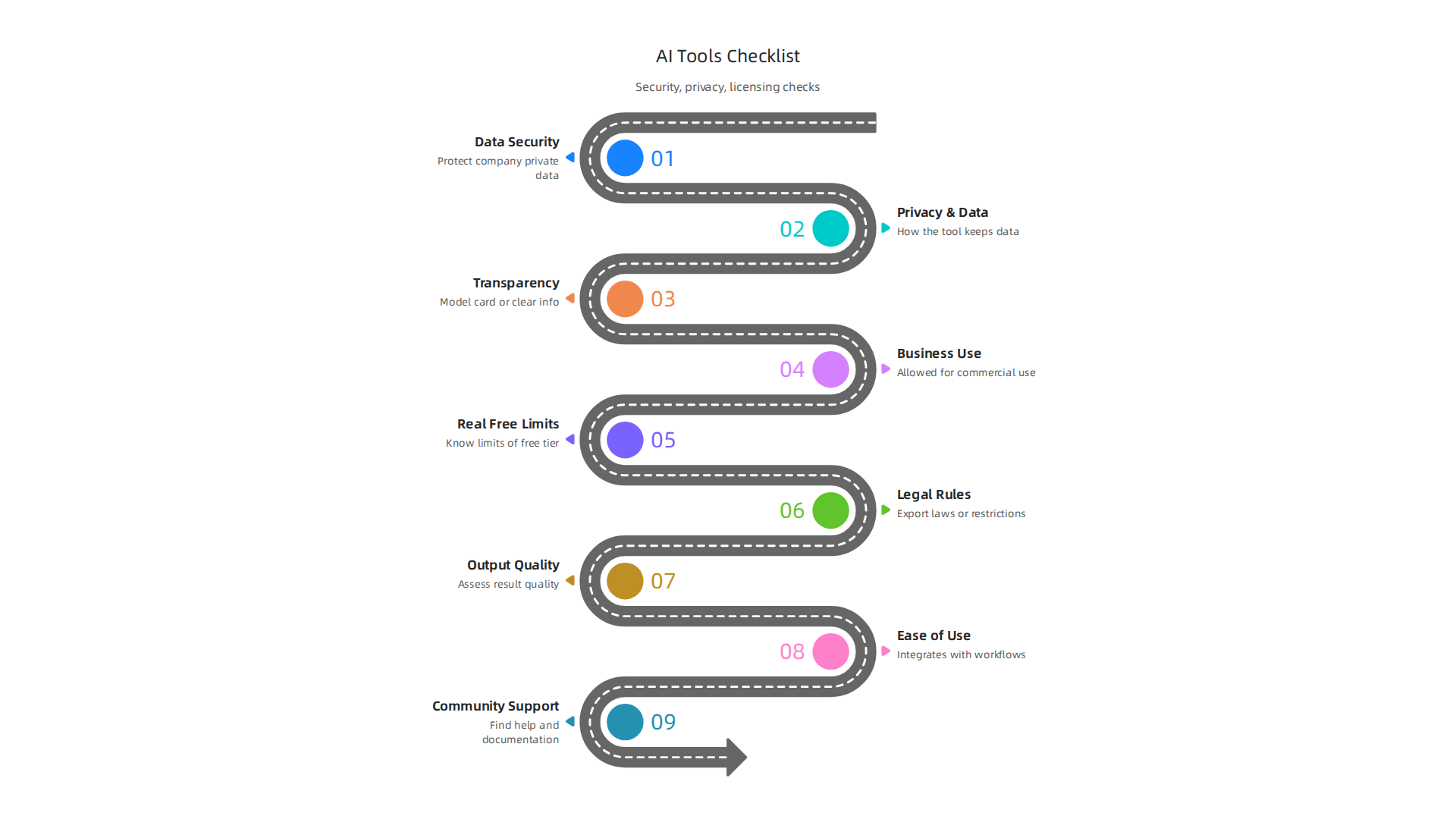
- Data Security: Does the tool clearly say how it will keep your company’s private data safe?
- Transparency: Does the tool provide a "Model Card" or easy-to-understand information about how it was trained and what its limits are?
- Business Use: Is the tool truly free for commercial or business use, or will you need to pay for a special license later?
- Legal & Export Rules: Are there any laws, especially those about sharing technology across countries, that might affect how your business can use this tool?
By asking these questions, you can help your team use AI tools smartly and without worrying about unexpected problems.
Summary
This article explains why a carefully curated list of genuinely free AI tools matters for creatives, students, and professionals facing a fast‑moving market full of choices. It provides a practical evaluation checklist—covering licensing, privacy, real free limits, output quality, ease of use, and support—so you can quickly separate useful tools from time‑wasters. The guide reviews popular free options across categories: drafting and editing assistants, summarizers and research helpers, code generators, image and design tools, audio and music apps, and video/animation platforms. It highlights common trade‑offs (open‑source vs hosted, free tier limits, speed) and shows when a paid upgrade makes sense. The article also stresses legal and data risks—model cards, commercial licenses, and export rules—and offers simple steps for safely piloting AI tools with a team. After reading, you’ll know how to choose, test, and use free AI tools responsibly to boost productivity and creativity.