
Introduction: Why AI + Email Templates Matter Now
In 2026, the world of business moves fast. It’s more important than ever for companies to talk to their customers in a smart and quick way. Email is still a powerful tool for this, but sending out good emails often takes a lot of time and effort.

This is where Artificial Intelligence (AI) and well-made email marketing templates come into play. They are changing how businesses connect with people.
Think about it: many teams don’t have a lot of time to write new emails every day. AI can help a lot here. It can create special emails that feel personal to each customer, but without someone having to write each one by hand. This means you can send out many more tailored messages than before. In fact, most marketers, about 63%, are already using AI tools for their email marketing efforts this year Email Creation & AI Statistics for 2026.
About 87% of marketers are using AI in at least one part of their daily work AI Marketing Statistics 2026: 200+ Adoption Insights.
Today’s smart tools don’t just draft email text. They use data to sort customers into groups, figure out the best subject lines to get people to open emails, and even change what’s inside the email for each person. This makes emails more interesting and helps more people click on them. For example, using AI for personalized content can help boost money made by as much as 41% Email Marketing Report 2026–2030: KPIs, Deliverability & …. These new ways of working mean that businesses can send emails that really grab attention and get results. This includes learning how to make a business email more effective, not just how to create free business email accounts. If you’re looking to learn more about how AI can help with your daily business tasks, check out our guide on AI for Business Email in 2026: Boost Productivity and Streamline Operations.
This guide will show you easy steps to follow, help you pick the best tools, and teach you how to use email marketing templates in smart ways. Our goal is to help you get real business results by using AI to make your emails better. We’ll explore how an ai rephraser can refine your messages and ensure your communication is always top-notch.
Looking for daily updates on AI and technology trends that could impact your business?
Get clear daily AI updates from The AI Newsletter Worth Reading.
Why Use AI with Email Marketing Templates? Core Benefits
Using AI with your email marketing templates is a game-changer for businesses in 2026. It’s like having a super-smart helper that makes your email work much easier and more effective. Here are the main ways AI brings big benefits.
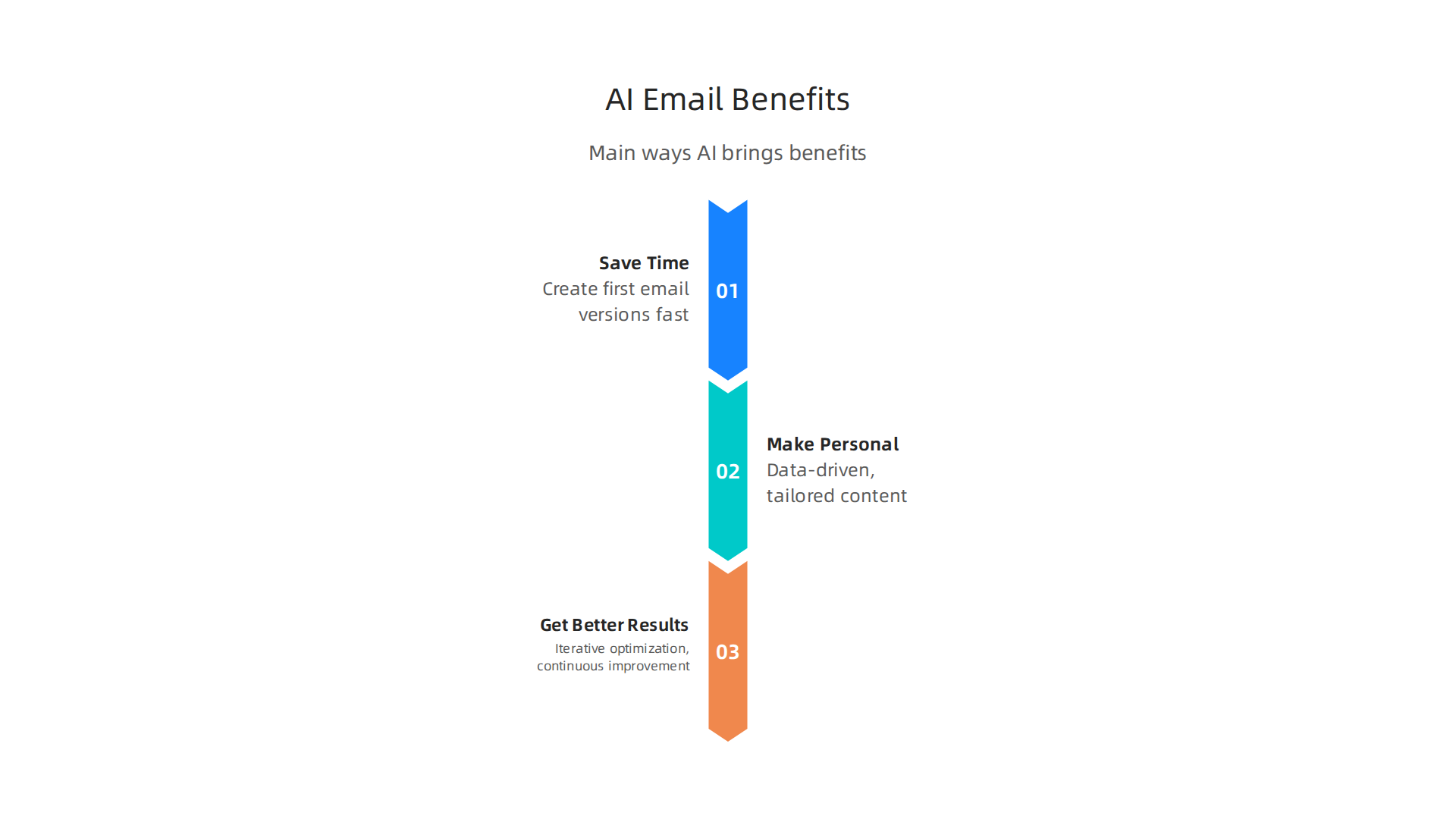
Save a Lot of Time
One of the best things about AI is how much time it saves.

Imagine needing to write many emails every day. It can be tiring! AI steps in to help create first versions of emails super fast. It can even suggest many different subject lines. This helps you pick the best one to make people want to open your emails. For example, AI-powered tools can cut down the time teams need to make emails, with only 6% of teams now needing two or more weeks to produce them, a big drop from 62% in 2024 Send Times: What Ai….
AI also uses modular templates. This means emails are built from ready-made blocks that AI can put together in new ways. You don’t have to start from an empty page to draft email content. This speed helps you send more emails without more work. You can focus on your main business instead of always figuring out how to make a business email from scratch.
Make Emails More Personal
AI is really good at making emails feel special for each person who gets them. It looks at information about your customers, like what they’ve bought before or what they’ve looked at on your website. This is called data-driven personalization. It uses this data to change the email text or even the products shown inside the email, all on its own.
This means a customer gets an email that feels like it was written just for them. It’s much better than sending the same email to everyone. Personalization through AI is a big deal, with 71% of marketers seeing a good jump in how much people engage with their emails when they use dynamic, personalized content Email Marketing Statistics 2026. When emails are personalized this way, people are more likely to open them and click on links. In fact, AI-generated subject lines and dynamic content can boost the money you make per email by 20-30% compared to old-fashioned templates Email Marketing Automation: AI Sequences That Convert.
Get Better Results
Finally, AI helps your email campaigns work better over time. It doesn’t just make an email and stop there. AI constantly watches how your emails are doing. It sees which subject lines get more opens or which words lead to more clicks. Then, it suggests ways to make your emails even better. This is called iterative optimization.
AI can also run tests automatically, trying out different versions of your emails to see which one performs best. This means your emails are always getting smarter and more effective. Emails that are personalized because of AI can bring in a lot more money for businesses. Some studies show an average 41% increase in revenue for businesses that use AI in their email marketing AI in Email Marketing 2026: Proven Strategies & Real ROI Data. Plus, AI-powered content suggestions from tools like HubSpot can help make sure your emails really connect with readers and lead to sales AI-powered email content suggestions that actually convert ….
After understanding the great benefits AI brings to your email campaigns, the next step is to pick the right AI tools. Choosing the best AI tools for your email marketing templates can feel like a big task with so many options out there in 2026.
Here’s how to look for the features that matter most.
Key Things the AI Tool Should Do
When you’re looking for AI tools, think about what they can actually create and manage. The best ones will offer certain key features.
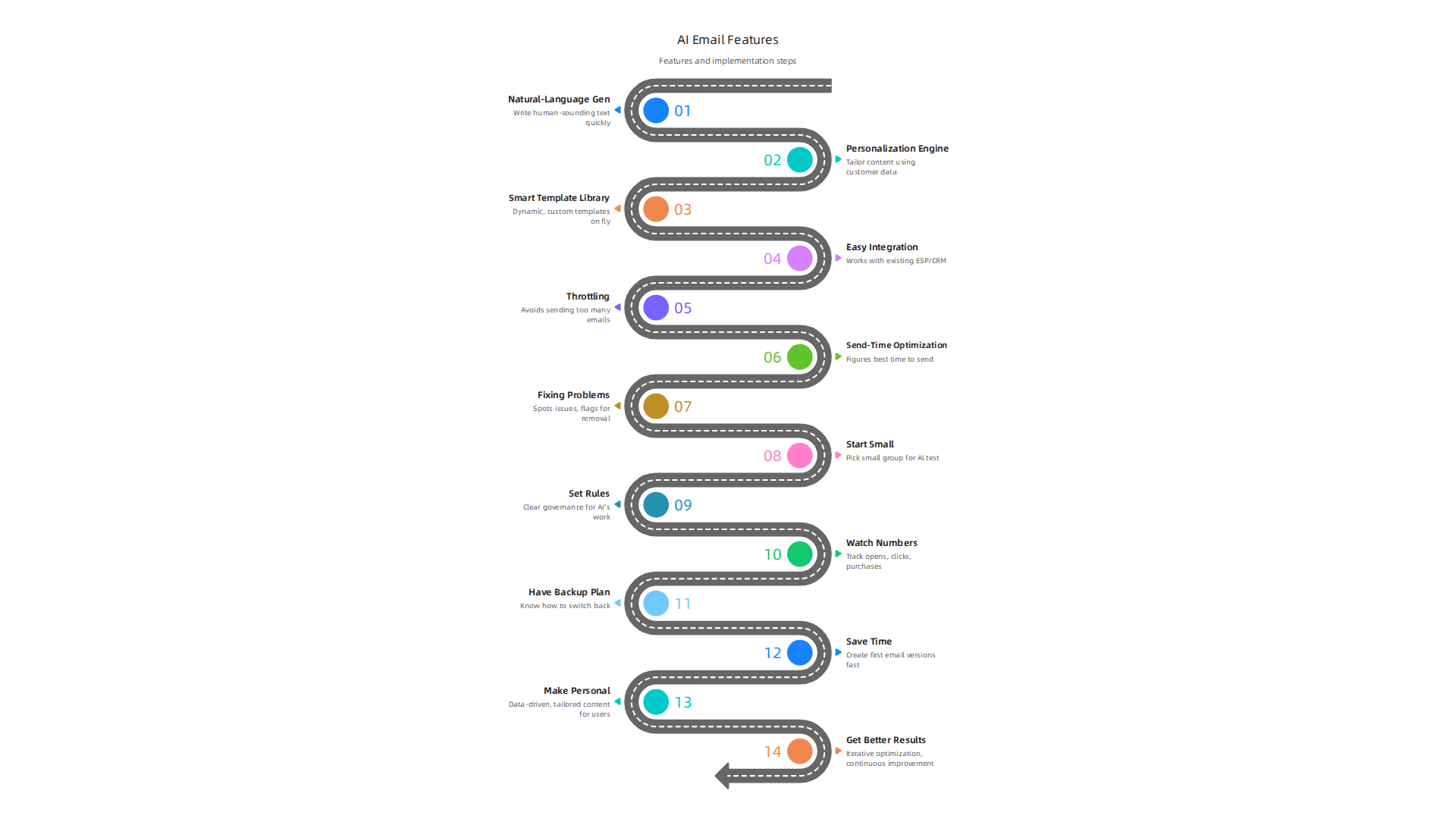
- Natural-Language Generation: This means the AI can write text that sounds like a human wrote it. It should be able to help you draft email content quickly, from subject lines to the main message. Some tools can even generate a full marketing email draft, including layouts, words, calls to action, and images 7+ Best AI Email Design Tools (2026). This helps you create free business email content without a lot of effort. If you need to change words, an AI rephraser feature can be super helpful.
- Personalization Engine: A good AI tool will use information about your customers to make each email special for them. This goes beyond just using their name. It means the AI can suggest products or content based on what they’ve liked before. Many businesses are adopting AI for personalization and content generation, with about 85% already using these tools Email Industry Data Report 2025–2026.
- Smart Template Library: Instead of static email marketing templates, the AI should offer dynamic ones. This means the templates can change based on the person getting the email, or the AI can create custom templates on the fly. This makes it easier to figure out how to make a business email that truly stands out.
- Easy Integration with Email Services: The AI tool needs to work smoothly with the email service provider (ESP) or customer relationship management (CRM) system you already use. This way, all your customer information and email sending tools can talk to each other.
How the Tool Fits Your Team’s Work
Beyond the core features, think about how the AI tool will work with your team every day.
- Workspace Collaboration: Can multiple team members work on email marketing templates at the same time? Good tools allow for teamwork, so everyone can contribute and see changes.
- Versioning: This means the tool saves different versions of your emails. If you make a mistake or want to go back to an older design, you can easily do so.
- Compliance Controls: Email marketing has rules about privacy and getting consent from people to send them emails. The tool should help you follow these rules automatically, for example, by managing consent or making sure you have one-click unsubscribe options Navigating the 2026 Email Deliverability Landscape.
- Analytics: The tool should show you how your emails are doing. This includes how many people open them, click on links, or buy something. This feedback helps AI learn and make future emails even better.
Making the Right Choice: Important Criteria
When you’re ready to pick an AI tool for your email marketing templates, keep these points in mind for a smooth experience.
- Data Security: Since the tool will handle customer information, make sure it’s very safe and protects privacy.
- Ease of Integration: How simple is it to connect the AI tool with your current email and customer systems? The easier, the better.
- Support for Your Existing Systems: Confirm that the AI tool works with your specific ESP or CRM. Some tools are better with certain platforms.
- Pricing Model: Understand how much the tool costs. Is it a monthly fee, or do you pay based on how many emails you send? Pick a plan that fits your budget and needs.
More marketers are using AI in 2026. In fact, 63% of marketers now use AI tools for email marketing 42 AI-Driven Email Statistics That Prove Why Inbox …. Choosing the right AI tool will help you boost productivity and streamline operations for your AI for business email in 2026.
To stay on top of the latest advancements and insights in the world of AI, remember to check out The AI Newsletter Worth Reading.
After picking the right AI tools for your needs, the next big step is making your emails special for each person. This is where AI truly helps with personalization and segmentation. It means sending the right message to the right person at the right time, making your email marketing templates much more effective in 2026.
From Simple Rules to Smart Groups
In the past, we often put customers into large groups based on simple rules, like "everyone who bought a certain item." But AI goes much further. It moves from these basic rules to using smart models to understand your customers better. AI looks at many things:
- What emails they open
- Which links they click
- What they buy
- What pages they visit on your website
By looking at all this information, AI can create very specific groups. Sometimes, it can even tailor an experience for just one person. This smart grouping helps you choose the best content for each customer, making sure your emails are super relevant to them. This kind of AI Email Marketing: A Practical Guide for 2026 is a game-changer for businesses.
Email Marketing Templates That Change in Real-Time
Imagine your email changing its message just for you, right when you open it. That’s what dynamic content blocks and conditional templates do. AI makes these email marketing templates come alive.
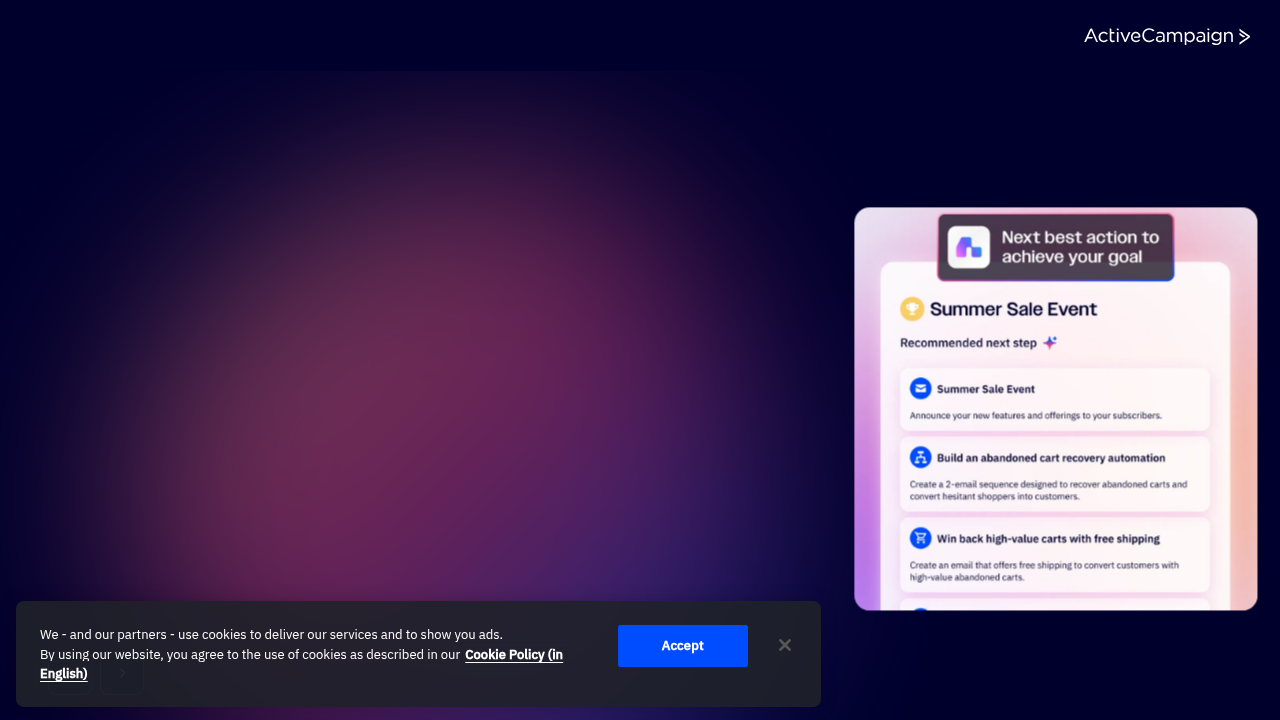
These are like smart building blocks that can adapt based on what the customer has done or what they might be interested in.
For example, if someone has looked at sports shoes on your website, the AI can make sure that person’s email shows them new sports shoes. If another person looked at running gear, their email would show that instead. This happens automatically, making each email unique. This "hyper-personalization" is a big Email Design Trends for 2026 that helps emails connect deeply with people. AI learns from how customers act to make these changes happen in real time, influencing How AI Impacts Email Personalization in 2026 to make messages even better.
Making Sure Your Brand Voice Shines Through
Even with all this amazing automation, it’s really important that your emails still sound like your company. You want your messages to feel human and on-brand, not like a robot wrote them. This means you need to put "guardrails" in place for the AI.
Guardrails are like rules that guide the AI’s writing style. They tell the AI what kind of words to use, what tone to have, and what messages are most important for your brand. For instance, if your company is known for being friendly and fun, the AI should use that same friendly tone when it helps you draft email content.
It is also a good idea to have a human check the emails the AI creates. A quick look can catch anything that doesn’t quite fit your brand or makes the email seem less personal. This helps ensure that the emails are perfect and still have your unique company voice. You might even want to learn How to Humanize AI Text with Proven Techniques and Top Tools to refine AI output.
After making sure your AI-generated emails sound just right and fit your brand, the next big step is to make them work automatically. AI helps put these special messages into action, making your whole email process smarter.
Automation & Workflow Integration: From Templates to Journeys
AI does much more than just help you write content; it helps you set up entire email journeys for your customers. Think of a "customer journey" as the path a customer takes with your business. For example, they might sign up for your newsletter, then look at some products, and finally make a purchase. AI takes the personalized AI email marketing templates it creates and fits them perfectly into these steps.
This means you can set up smart email paths where each message is sent based on what the customer does. It’s not just sending one email at a time. This way, you guide customers through their journey with useful and timely information, which is a key part of any good AI-powered Email Marketing Strategy For 2026.
Triggers and Real-Time Personalization
How do these emails know when to send? They use "triggers." A trigger is an action your customer takes. For example, if someone adds items to their online shopping cart but doesn’t buy them, that’s a trigger for an "abandoned cart" email. AI helps you set up these event-based sends, so an email goes out right after a specific action.
For this to work smoothly, your email sending system (called an ESP) and your customer contact system (called a CRM) need to talk to each other. AI helps them stay in sync. This means customer information is always up-to-date, and emails can be truly personalized in real time. Learning how to set up AI for business email in 2026 and integrate it with your tools helps streamline operations. For a full understanding of these automated steps, you can check out this Email Marketing Automation 2026 Complete Guide to Workflows.
Keeping Your Emails Out of the Spam Folder
Sending emails automatically is great, but they also need to reach the right inbox. This is called "deliverability." AI helps with important checks to make sure your emails get through.
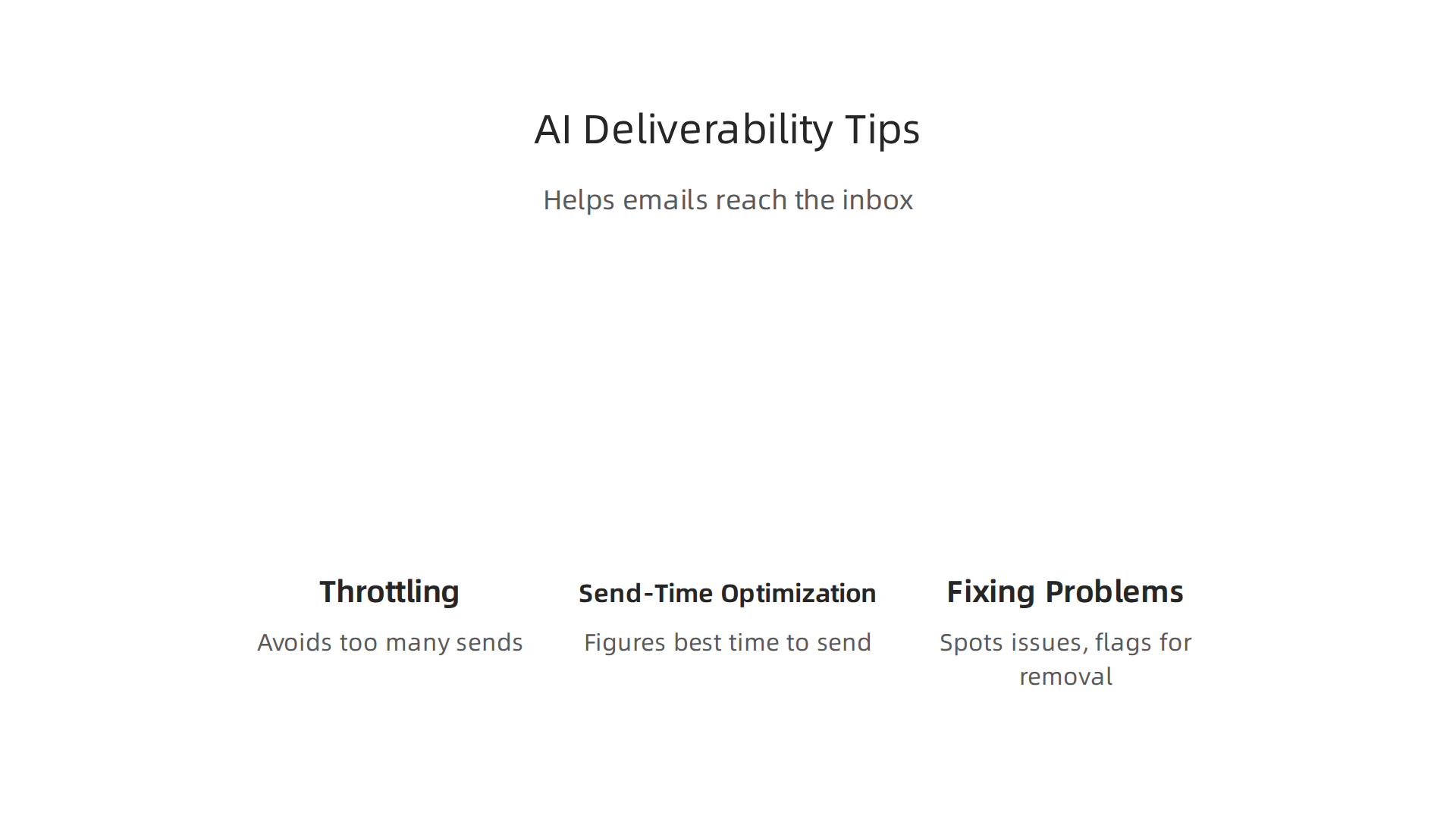
- Throttling: AI can make sure you don’t send too many emails to one email provider (like Gmail or Outlook) all at once. This prevents your emails from looking like spam. A detailed 2026 Deliverability Checklist For Automated Email Outreach can help businesses avoid problems.
- Send-Time Optimization: AI figures out the best time to send an email to each person. This increases the chance they’ll open it. Since new privacy rules have changed how "open times" are tracked, AI now uses other actions, like clicks, to find the best sending times.
- Fixing Problems: Sometimes, emails still don’t make it to the inbox. AI can help spot these issues quickly. Then, there are "escalation paths," which are steps to fix deliverability problems fast. For example, if an email address keeps bouncing back, AI can flag it for removal. This is a key part of maintaining good Email Deliverability 2026 Best Practices.
It’s like having a smart helper always watching over your email system, making sure everything runs smoothly and your messages get to where they need to go.
Want to keep up with all the ways AI is changing business and technology? Get clear daily AI updates from The AI Newsletter Worth Reading.
After setting up smart email paths, the next big step is to make sure those AI-powered messages are truly working their best. This means checking their performance and making changes to improve them over time.
Testing, Metrics & Deliverability: Optimize AI Templates Systematically
Even with the smartest AI helping you draft email content and set up automated journeys, it’s vital to test and measure how well your emails do.

This is like a scientist checking an idea. You make a small change, see what happens, and then use what you learn to make things better.
A/B Testing Your AI-Created Content
One common way to test is called A/B testing, or split testing. It’s simple: you create two versions of an email, send them to a small part of your audience, and see which one performs better. AI helps you make these different versions quickly, maybe even using an ai rephraser to suggest other ways to say things.
You can A/B test many parts of your email marketing templates, like:
- Subject Lines: This is the first thing people see. Does adding a question work better than a statement? You can test different subject lines to see which gets more people to open your email. Many experts suggest testing one element at a time, often sending variants to 10% of your list each, then sending the winner to the rest Email Subject Lines: The Definitive Guide (2026).
- Preheaders: This short line appears right after the subject line. It gives a little more information before someone opens the email.
- Content Blocks: You can test different ways to start your email, different calls to action (what you want people to do), or even different images.
To do this right, you usually test only one thing at a time. For example, change only the subject line, but keep everything else the same. This way, you know for sure what made the difference A/B testing for email campaigns: The complete guide for 2026. You need to define a clear goal, like getting more opens or more clicks, and then watch those numbers.
Smart Testing with AI
For more complex changes, there’s also multivariate testing. Instead of just two versions, you test many different combinations of changes at once. This is where AI truly shines. AI can run many automated experiments for you, much faster than a person could. It uses special math, called Bayesian approaches, to quickly find the best email versions with fewer guesses. This means you get reliable results faster.
When you use AI to help with your AI Writing for Marketing Tools Prompts Your 2026 Strategy, testing becomes an even more powerful tool.
Watching Your Deliverability and Mailbox Placement
Even the best email marketing templates won’t work if they don’t reach the inbox. We call this "deliverability." It’s important to keep an eye on how many of your emails actually land in the main inbox, rather than going to spam folders. This is called "mailbox placement."
AI plays a role here too, as it can help you track these numbers and see if your new tests are accidentally causing emails to be marked as spam. If you notice a drop in deliverability, you can quickly adjust your AI-generated email marketing templates or how you send them. By always testing and watching your metrics, you ensure your AI-powered email strategy keeps getting better and better.
Now, let’s go back to the very start: how you design your email marketing templates with AI. Think of it like building a house. You need good plans and strong foundations before you start testing if the roof leaks. AI can be a great helper in creating these solid plans for your emails.
Building with Reusable Blocks and Smart Content
Good email design today often uses "modular design." This means you build your emails with different parts or blocks that you can easily move around and use again. Imagine having ready-made blocks for your header, footer, product features, or special offers. AI can help you make these blocks. It can even suggest ways to arrange them so they look good and work well.
What’s really cool is "dynamic content." This means parts of your email can change for each person. For example, AI can automatically put a customer’s name in the greeting or show them products they’ve looked at before. If that information isn’t there, AI can also create a "fallback" option, like a general greeting or popular products, so your email always looks complete. This makes your email marketing templates super flexible and personal.
Guiding AI on Your Brand’s Voice and Tone
When you ask AI to help draft email content, you want it to sound like you or your business. This is where "brand voice prompts" come in. You give the AI clear rules about how to talk. Should it be friendly, formal, funny, or serious? You can tell it what words to use often and what words to avoid. For example, if you want to create free business email content that is always positive and encouraging, you feed those instructions to the AI. This is like getting expert advice on how to make a business email that truly stands out.
It’s also important to use "safety filters." These are like checks to make sure the AI doesn’t accidentally write something that doesn’t fit your brand or might be confusing. Even with AI, it’s always smart to have a "human-in-the-loop review." This means a person quickly checks the AI-generated text before it goes out. This helps ensure your messages are perfect and truly human. If you want to dive deeper into making AI text sound more human, you can explore How to Humanize AI Text with Proven Techniques and Top Tools.
Making AI-Generated Emails Easy for Everyone
When you design email marketing templates, you must think about "accessibility." This means making sure everyone can read and understand your emails, including people who use screen readers or have trouble seeing certain colors. AI can help here too. It can check if your font sizes are large enough, if there’s enough color contrast, and if images have descriptions for screen readers.
Another key part is "responsive design." This means your email looks good no matter what device someone is using to view it. Whether it’s a small phone screen, a tablet, or a large computer monitor, the email should adjust automatically. AI tools can help create HTML templates that are naturally responsive, saving you lots of time. This makes sure your message gets across clearly to everyone, everywhere.
Staying updated on all the new ways AI can help your business grow is key. Want to stay ahead of the curve in the fast-changing world of AI? The AI Newsletter Worth Reading offers clear daily updates from The Deep View Newsletter.
After designing your AI-powered email marketing templates to be clear and accessible on any device, the next big step is putting them to work. This means seeing how they perform in real life. It’s about careful planning, watching what happens, and learning from the results.
Implementation Case Studies: Real-World AI Template Deployments
When you’re ready to use AI for your emails, you don’t just flip a switch. It usually starts with a small test, also called a "pilot." This helps you try things out before using AI for all your email marketing templates.
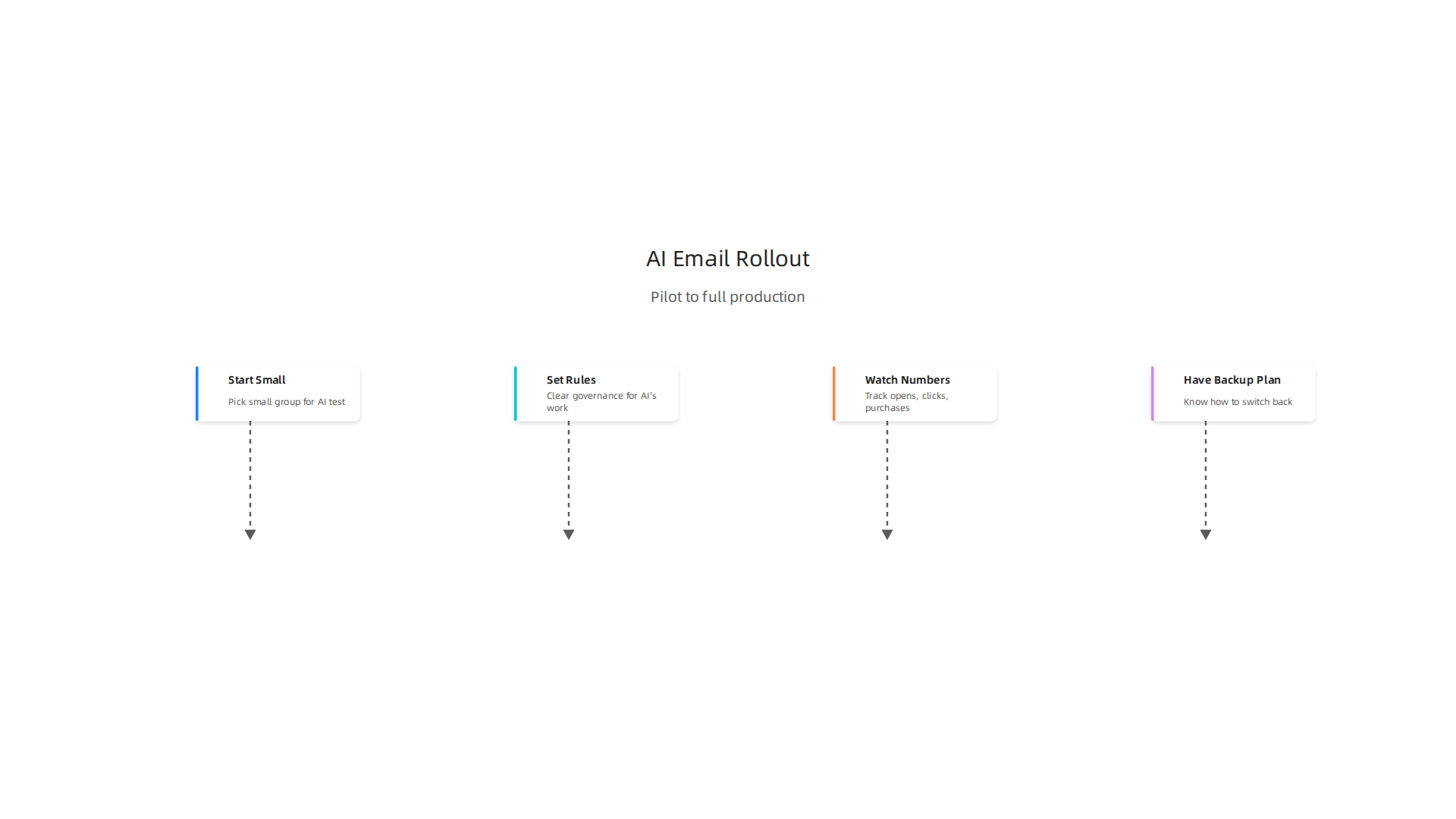
Step-by-Step Implementation from Pilot to Production
- Start Small: Pick a small group of customers or a certain type of email for your first AI test. This could be something simple, like using AI to
draft emailsubject lines for a weekly newsletter. - Set the Rules (Governance): Even with AI helping, you need clear rules. Who checks the AI’s work? How often? This helps make sure all emails match your brand. It’s always a good idea to have a person look over the AI’s suggestions before sending them out.
- Watch the Numbers (Analytics): This is super important. You need to know if your AI emails are doing better than your old ones. Track things like how many people open your emails, how many click on links, and how many make a purchase. AI-powered email programs, when fully integrated across all steps like content and send-time, can lead to a 41% higher revenue according to some studies in 2026, so tracking is key to seeing those gains AI Email Marketing 2026: 41% Revenue Increase Guide. You can also look at specific metrics like the increase in open rates from personalized subject lines or higher conversion rates for AI-generated emails Top 5 AI Models for Email Marketing in 2026.
- Have a Backup Plan (Rollback): What if something goes wrong? Always know how to switch back to your old way of sending emails if the AI doesn’t work as expected. This helps keep your campaigns running smoothly.
For businesses looking to use advanced systems, understanding how to manage enterprise AI software is crucial for a smooth rollout.
Common Pitfalls to Avoid
Even with all the good things AI can do, there are some traps to watch out for:
- Over-Personalization: While it’s great to make emails feel personal, going too far can feel creepy. For example, if an email knows too much about a customer’s recent activities, it might feel like an invasion of privacy. Always aim for helpful, not spooky.
- Model Drift: AI models learn over time, but sometimes they can "drift" or become less accurate. This means they might stop making the best suggestions or predictions. You need to check your AI regularly to make sure it’s still performing well.
- Compliance Missteps: Email rules are strict. You must make sure your AI-generated emails follow privacy laws (like GDPR) and anti-spam laws. AI can help automate consent management, but it’s still vital for your team to understand the rules Validity: Navigating the 2026 Email Deliverability Landscape. An average email deliverability rate across providers was about 83.1% in 2026, so making sure your emails actually get to inboxes is super important Email Deliverability Statistics (2026).
If you need to create free business email content, always remember these checks. For tips on generating strong content, you can look at resources on AI writing for marketing.
How Teams Measure ROI and Operationalize Learnings
Measuring the "Return on Investment" (ROI) for AI in email marketing means seeing how much money you get back for what you put in. Many companies find that AI helps save time and make more sales. Personalized emails, for instance, can deliver much higher revenue than generic ones AI in Email Marketing 2026: Proven Strategies & Real ROI Data.
Teams use a few key ways to measure success and learn:
- A/B Testing: This means sending two slightly different versions of an email to a small group of people to see which one works best. For example, you might test two different subject lines or calls to action. Most experts say to test only one thing at a time to clearly see what makes a difference How to Run A/B Tests on Your Emails.
- Tracking Revenue: The most important measure for many businesses is how much money the AI-powered emails bring in. Email marketing offers a high return on investment, averaging $36-42 for every dollar spent in 2026 Email Marketing Statistics 2026: 200+ Essential Data.
- Learning from Data: After each campaign, teams look at the numbers. Did the AI do well? What could be better? This helps them give the AI smarter instructions next time. They use these lessons to improve their
email marketing templatesand strategies for all future campaigns.
To truly master how to make a business email with AI, you need to understand both the creative side of design and the technical side of how AI learns and adapts. It’s a mix of art and science.
Summary
This article explains how combining AI with email marketing templates transforms how businesses create, personalize, send, and optimize email campaigns in 2026. It covers the core benefits—saving time, hyper-personalization, and improved revenue—then shows what to look for in AI tools (natural-language generation, personalization engines, dynamic templates, integrations). You’ll learn how AI helps segment audiences, deliver dynamic content in real time, and automate event-driven journeys while protecting deliverability and privacy. The guide also explains testing methods (A/B and multivariate), how to keep your brand voice with guardrails and human review, and common rollout steps from pilot to production. Finally, it highlights operational risks like over-personalization, model drift, and compliance, and gives practical steps to measure ROI and scale safely.