
Introduction: Why Free AI Coding Assistants Are a Game-Changer for Developers in 2026
Picture this: you are stuck on a tricky bug at 11 PM. Your team is offline. Your deadline is tomorrow.

In the past, you would have to dig through Stack Overflow or trial and error for hours. But in 2026, you can just type your problem into a free AI coding assistant and get a solid answer in seconds. That is not science fiction anymore. It is the new normal.
AI coding tools have become a standard part of software development. According to the latest surveys, 90% of developers now use at least one AI tool at work, and over half use one every single day. That includes a wide range of generative ai tools that can write code, explain logic, and even refactor entire functions. And here is the best part: you do not need to pay a dime to get started.
The market for software development artificial intelligence has matured fast. In 2026, multiple credible companies offer robust free tiers that handle autocomplete, chat, and code generation inside editors like VS Code. Whether you are an ai engineer building complex systems or a hobbyist learning to code, you can find a powerful artificial intelligence software example that fits your workflow. The challenge? Choosing the right one.
That is exactly why this guide exists. We compare the top best free ai coding assistant tools side by side. We look at IDE support, language coverage, privacy controls, and how well each tool handles real-world tasks. By the end, you will know which tool to install first and how to layer them for maximum productivity.
But before we dive into the tools, it helps to understand how AI is reshaping the developer role. To stay ahead, you need a steady stream of reliable updates. That is where The AI Newsletter Worth Reading comes in — a daily briefing that filters the noise and delivers the insights that matter. It is a smart way to keep learning as these tools evolve.
Ready? Let us start with the full lineup of free AI coding assistants in 2026.
1. GitHub Copilot Free: The AI Pair Programmer That Set the Benchmark
First up is GitHub Copilot Free, the tool that made AI pair programming mainstream. It runs inside your editor and suggests whole lines or even complete functions as you type. The suggestions come fast and often feel spot on, especially for common patterns like loops, API calls, and boilerplate code.
What you get for free includes up to 2,000 code completions per month and 50 chat or agent requests.
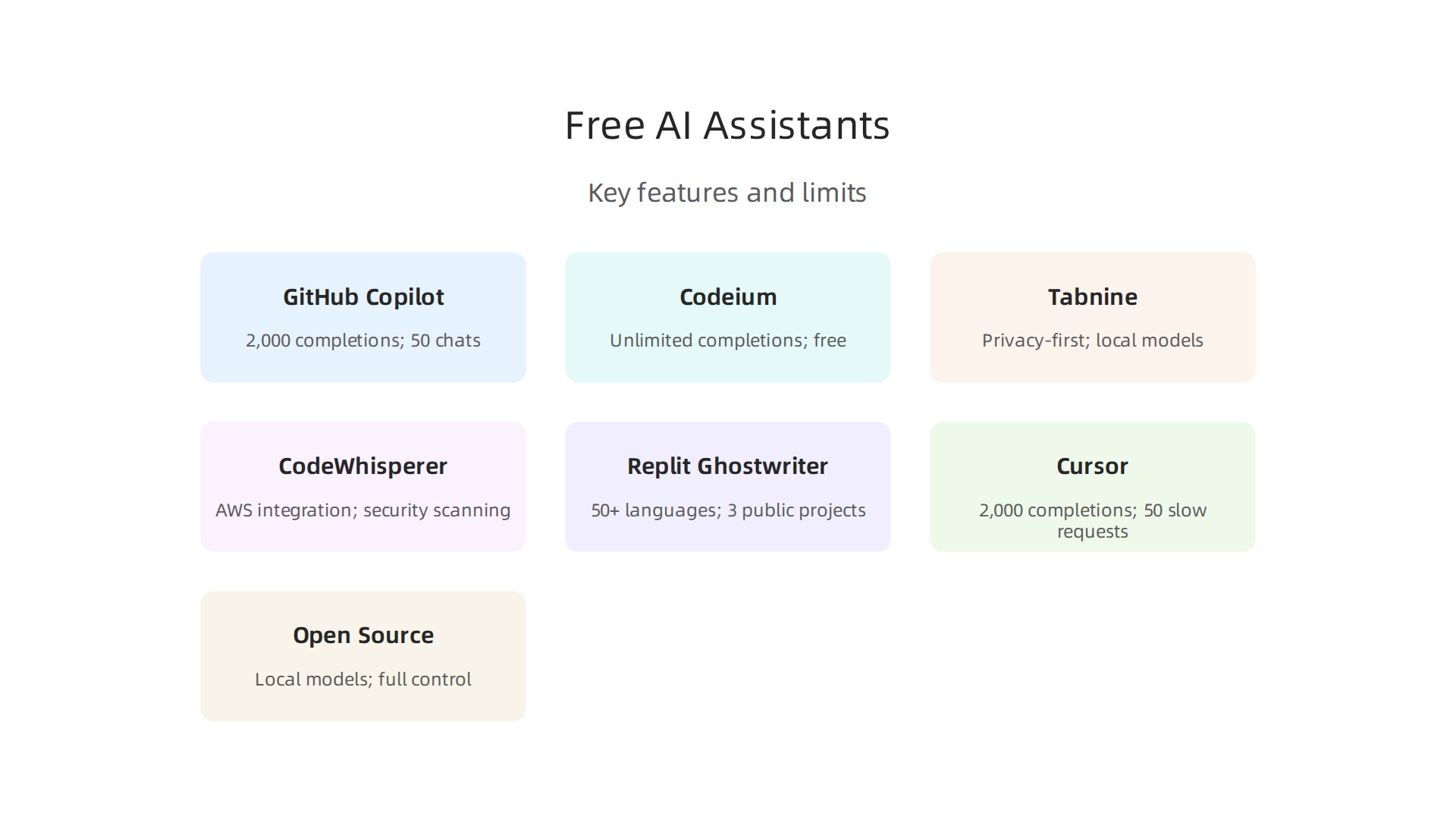
That is enough for light to moderate use. If you write hundreds of lines a day, you might hit the cap in a week or two. But code completions themselves remain free under the new usage‑based billing — the limit is on premium requests, not on typing suggestions.
Copilot Free works with all major IDEs: VS Code, Visual Studio, JetBrains, Neovim, and more. You also get access to models like Haiku 4.5 and GPT‑5 mini for chat. It is ideal for individual developers who want to try AI coding without spending anything.
What you miss out on: no code review summaries, no cloud agent mode, and no access to premium models. For verified students and open‑source maintainers, a separate plan offers unlimited completions and 300 premium requests at no cost.
If you are just getting started with AI coding, Copilot Free is a solid entry point. For a deeper look at how these tools fit into modern workflows, read our guide on ai for software companies. And if you want to stay on top of fast‑moving AI tools, The AI Newsletter Worth Reading sends clear daily updates straight to your inbox.
For the official setup steps, Microsoft offers a helpful walkthrough on using GitHub Copilot for free in Visual Studio.
That is GitHub Copilot Free. Now let us talk about the next tool on the list.
2. Tabnine Free: Privacy-First Code Completion with Local Models
Next up is Tabnine Free, a tool that takes a completely different path from cloud‑based assistants.

Instead of sending your code to remote servers, Tabnine runs its AI model right on your machine. That means your code never leaves your computer. For developers working with sensitive data or in regulated industries, this is a big deal.
Tabnine Free supports many programming languages and works inside editors like VS Code, IntelliJ, PyCharm, and more. The completions come fast because there is no network lag. You type a few characters and the suggestions appear instantly.
Many users praise how quick and private it feels. The AI model is trained on open‑source code and runs locally, so you get real‑time help without giving up control. You can think of it as a lightweight version of the larger cloud tools, but tuned for privacy.
There is a trade‑off, though. Because Tabnine Free runs locally, its suggestion context window is smaller than what cloud‑based tools offer. It cannot look back at hundreds of lines of your code the way some online services can. So for very complex tasks that need deep understanding of a whole file, you might find it less helpful. But for everyday patterns, loops, and function calls, it works great.
If you want to understand how local AI models compare to cloud options, check out our breakdown of agentic ai vs generative ai. And for a look at how cloud assistants like Copilot manage usage, take a look at GitHub Copilot individual plans to see the monthly limits.
Tabnine Free is an excellent choice if privacy is your top concern. It proves that you do not need to trade security for speed. For a tool that keeps your code local and still helps you write better code faster, it is a strong contender in the search for the best free ai coding assistant. It is a practical example of software development artificial intelligence done right, acting as a real artificial intelligence software example for developers who value control.
As an AI engineer, you might appreciate how Tabnine fits into your generative ai tools lineup without sending data to the cloud.
3. Codeium: The Rising Star in Free AI Code Completion
You know that feeling when you find a free tool that actually works well, with no hidden limits? That is Codeium.

While Tabnine focuses on privacy, Codeium focuses on giving you as much help as possible without asking for your credit card.
Most free tiers in the AI coding world feel like a teaser. They give you a few hundred completions and then nudge you to upgrade. Codeium takes a different approach.
Its free plan includes unlimited autocomplete, multi-line suggestions, and even chat access. You can use it all day without hitting a cap. According to a recent benchmark, Codeium earns the title of the best free ai coding assistant in 2026 because it does not force compromises on daily work.
The tool supports over 70 programming languages and works inside editors like VS Code, JetBrains, and even through a web interface. That alone is impressive for a free offering. But what really sets Codeium apart is its search feature. You can search your entire codebase and ask questions about your own code, all for free. This makes it a powerful example of software development artificial intelligence that helps you navigate unfamiliar projects with confidence.
Accuracy on everyday tasks sits around 82% on composite benchmarks, which puts it ahead of some paid options. For writing new features, fixing isolated bugs, or exploring a new codebase, Codeium holds up well. It may not handle complex multi-file refactoring as smoothly as premium tools, but for most developers it is more than enough.
If you are a developer who wants a capable artificial intelligence software example that does not limit you, Codeium is a great starting point. It proves that free generative ai tools can be genuinely useful. As an ai engineer looking to improve your workflow, you can count on Codeium for daily tasks without worrying about billing.
To stay updated on the best AI tools and trends in 2026, subscribe to The AI Newsletter Worth Reading. It delivers clear daily updates so you never miss what matters. And if you want to see how AI fits into a complete software strategy, our guide on ai for software companies walks you through practical implementation steps.
4. Amazon CodeWhisperer Free: AWS Integration and Security Scanning at No Cost
If Codeium’s unlimited completions sound great but you also work heavily with cloud services, Amazon CodeWhisperer Free deserves a close look. This tool comes from Amazon and is deeply tied to AWS. It offers unlimited code suggestions with no credit card needed.
What really sets CodeWhisperer apart is the built-in security vulnerability scanner. As you write code, it checks for common security issues like exposed credentials or insecure dependencies. That is a feature most free generative ai tools do not include. For any ai engineer focused on writing safe code, this alone makes CodeWhisperer worth trying.
The tool works with Python, Java, JavaScript, TypeScript, C#, and many other languages. You can use it in VS Code, JetBrains, and other popular editors. Since it launched as a free Individual tier, any developer can sign up with just an email address. You do not even need an AWS account to start using it.
According to the official announcement, CodeWhisperer is generally available and free for individual use.
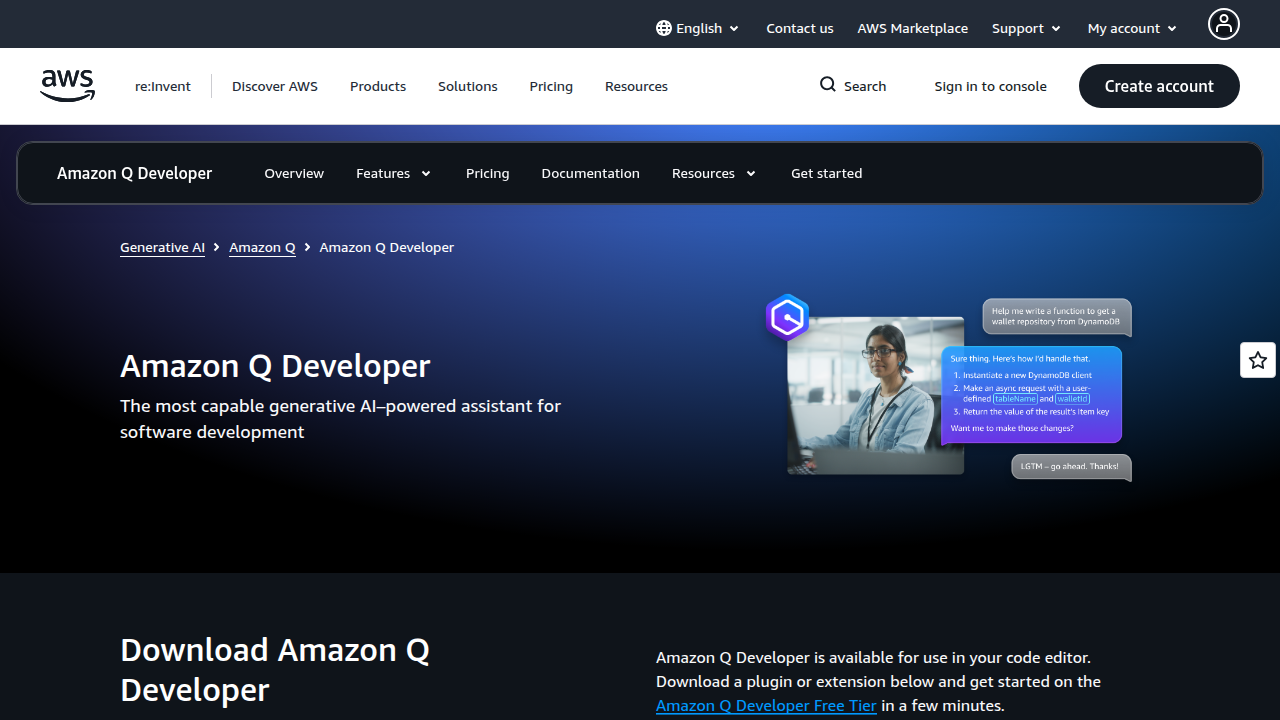
It helps developers complete tasks 57% faster on average. That comes straight from the Amazon CodeWhisperer free tier announcement.
The biggest strength here is the security scanning. It catches problems before they reach production. That makes it a strong example of software development artificial intelligence that goes beyond simple autocomplete.
However, the general code suggestions are not as polished as GitHub Copilot. On complex tasks or multi-step refactoring, CodeWhisperer can feel a step behind. It shines brightest when you work with AWS services like Lambda, S3, or DynamoDB. If your stack lives entirely on AWS, this is an easy choice.
For a broader look at how to pick the right artificial intelligence software example for your workflow, check out our comprehensive AI tools guide. It walks through evaluation criteria and real-world implementation steps.
CodeWhisperer Free proves that security and cloud integration can come at no cost. If you want a free assistant that watches for vulnerabilities as you code, this is your tool.
5. Replit Ghostwriter (Free Tier): AI-Assisted Coding in the Browser
Now let’s talk about a tool that lives entirely in your browser. If you have ever wanted to code from anywhere without installing anything, Replit Ghostwriter Free is your answer. It is an AI coding assistant built right into the Replit online IDE.
With the free tier, you get code completion, debugging help, and plain English explanations of what your code does. That makes it a solid generative ai tools choice for beginners and pros alike. You can start a project in seconds and have Ghostwriter suggest the next lines as you type.
According to the Replit Ghostwriter comprehensive guide, the free tier includes limited AI features. That means heavy users will hit a monthly credit cap. But for learning, prototyping, or small projects, it works great.
The big win here is the browser first setup. You do not need to download anything. Your whole workspace is online. That makes it perfect for collaborative coding or switching between devices. Whether you are an ai engineer testing a quick idea or a student learning Python, Replit removes the friction of setup.
For a deeper look at how different AI tools compare for real world work, check out our guide on agentic AI vs generative AI. It explains the key differences and helps you decide which type fits your projects.
What You Get on the Free Tier
The free Starter plan gives you access to over 50 languages, up to three public projects, 2 GiB of storage, and 10 GiB of outbound data transfer.

Ghostwriter provides basic code completions and you get a trial of the more advanced Agent feature. But the monthly AI credits are limited. Once they run out, you have to wait for the next cycle or upgrade.
For most people, the free tier is enough to explore what a best free ai coding assistant can do. You can build small web apps, practice coding challenges, or even host a simple static site on a replit.app subdomain.
There is one catch. As the Replit free tier limits 2026 guide points out, your app goes to sleep after about 5 minutes of inactivity. When someone visits it again, it takes 10 to 30 seconds to wake up. That makes it fine for learning but not for production apps that need to be always on.
Still, as a free artificial intelligence software example of cloud native development, Replit Ghostwriter is hard to beat. You can try it right now without a credit card.
Should You Use It?
If you love working in the browser and want a software development artificial intelligence assistant that helps you write, debug, and understand code in real time, Replit Ghostwriter is a strong pick. The free tier is generous enough to give you a real feel for the tool. Just keep in mind the limits on AI credits and sleep time.
Want to stay ahead of fast moving AI developments? Get clear daily updates from The Deep View Newsletter. It cuts through the noise and delivers what matters most for your work.
6. Sourcegraph Cody (Free): Code Understanding and Chat for Entire Codebases
Now imagine an AI assistant that has read your entire codebase. Every file, every function, every comment. That is what Sourcegraph Cody does. And the free tier gives you real access to that power.
Cody is not just another autocomplete tool. It understands your whole project. You can ask questions like "Where is the user authentication logic?" or "How does this sorting function work?" and it answers using context from your actual code.

That makes it a standout software development artificial intelligence tool for anyone working on complex projects.
How Cody Works for Free Users
The free tier includes code chat, inline completions, and codebase-wide navigation. You can ask Cody to explain a function, suggest a fix, or even generate new code based on your existing patterns. It works with most major editors like VS Code, JetBrains, and Neovim.
For generative ai tools purposes, Cody does something smart. It generates code that matches your project’s style and conventions because it has seen your whole codebase. That is a big advantage over tools that only see the current file.
Privacy Matters Here
Sourcegraph takes your code privacy seriously. Cody does not train on your private code. It only uses your codebase as context for answers. You can even run it in a fully offline mode if your company requires it. For anyone worried about leaking proprietary code, this is a huge relief.
Where It Shines
Cody is especially useful when you are new to a large project. Instead of reading hundreds of files to understand how things connect, you just ask Cody. It is also great for code review, debugging, and refactoring. If you are an ai engineer working on a team, Cody helps you get up to speed fast.
The free tier has limits on completions per month and chat messages, but it is generous enough for regular use. For heavy usage, you can upgrade to the Pro or Enterprise plans.
Is It the Best Free AI Coding Assistant for You?
If you work on large codebases or join existing projects often, Cody is hard to beat. The ability to search and ask questions across your entire project saves hours each week. And since it respects your code privacy, you can use it with confidence.
For a broader comparison of how AI tools fit into modern development workflows, take a look at our guide on AI for software companies. It covers how teams are integrating tools like Cody into their daily processes.
7. Other Notable Free Assistants (Cursor, Windsurf, and More)
You already know the heavy hitters. But some other tools deserve a mention in 2026. They each bring something unique to the table.
Cursor is an AI-first code editor built on VS Code. Its free Hobby plan gives you 2,000 code completions per month and 50 slow premium model requests.
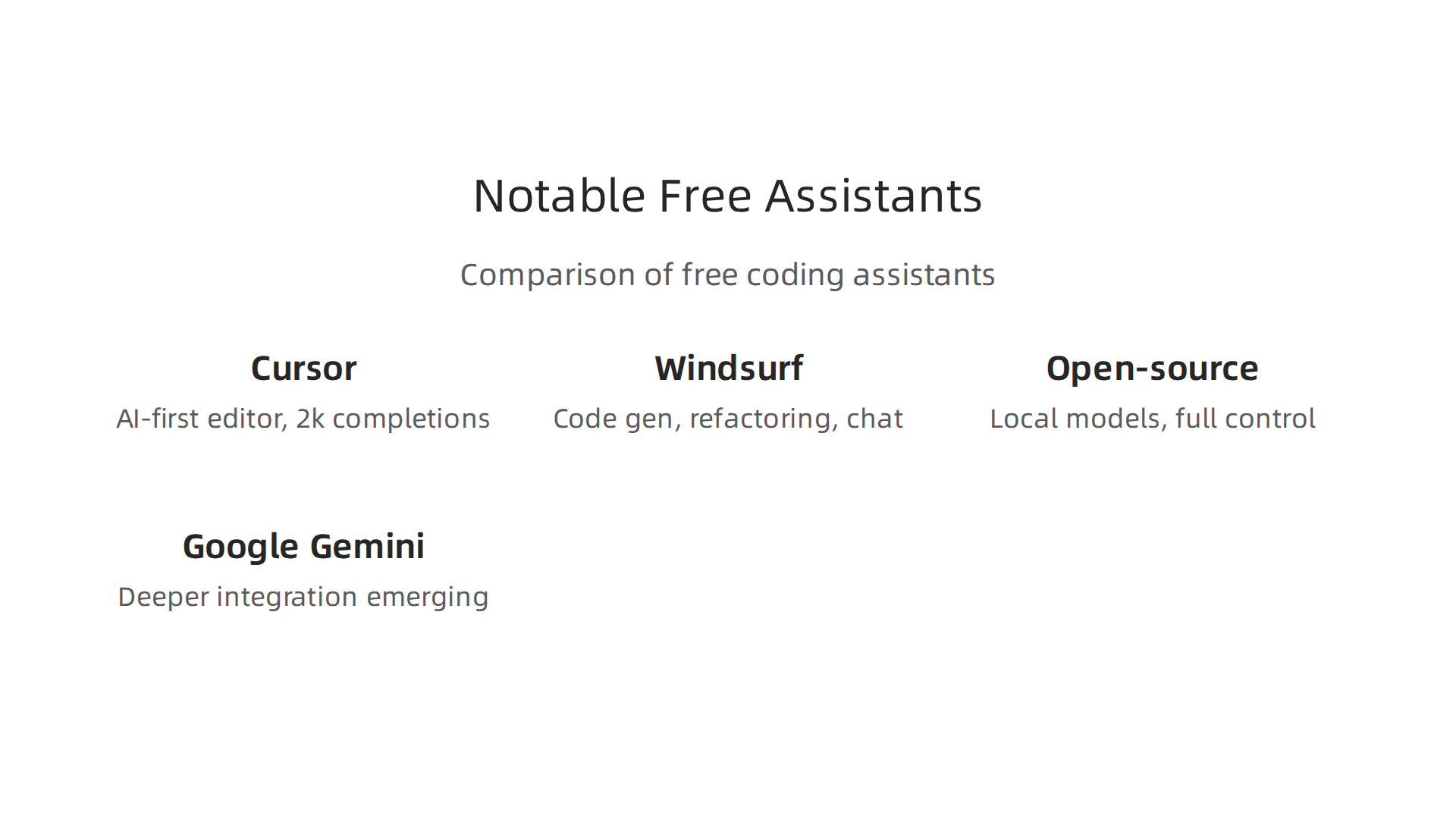
That is enough to test the waters on a side project. The editor knows your whole codebase, which makes it great for refactoring and multi-file edits. If you code more than a few hours a week, you will likely hit the Cursor AI free tier limits and need the Pro plan at $20 per month. But for casual use, the free tier is solid.
Windsurf (formerly Codeium Editor) also offers a free plan. It gives you code generation, refactoring, and chat. The free tier is generous for light use, and the editor feels fast. It is a good alternative if you prefer a different workflow.
Then there are open-source options like Continue.dev. These tools let you run local models on your own machine. No data leaves your computer. That matters for security-conscious teams. You can pair them with models like Llama or Mistral. They are not as polished as paid tools, but they give you full control. For a deeper look at how open-source fits into your stack, check out our guide on open source AI software.
Google is also rolling out deeper Gemini integration into its development tools. Keep an eye on that.
The best free ai coding assistant for you depends on your project size and how much you value privacy. For large codebases, Cursor’s free tier is worth trying. For open-source fans, Continue.dev is a strong choice. And if you want a lightweight editor with good chat, Windsurf delivers.
The AI tool landscape moves fast. To stay on top of what works and what is coming next, consider subscribing to The AI Newsletter Worth Reading for daily updates on software development artificial intelligence and generative ai tools.
8. How to Choose the Best Free AI Coding Assistant for Your Needs
By now you have seen a handful of solid free tools. But which one is actually right for you?
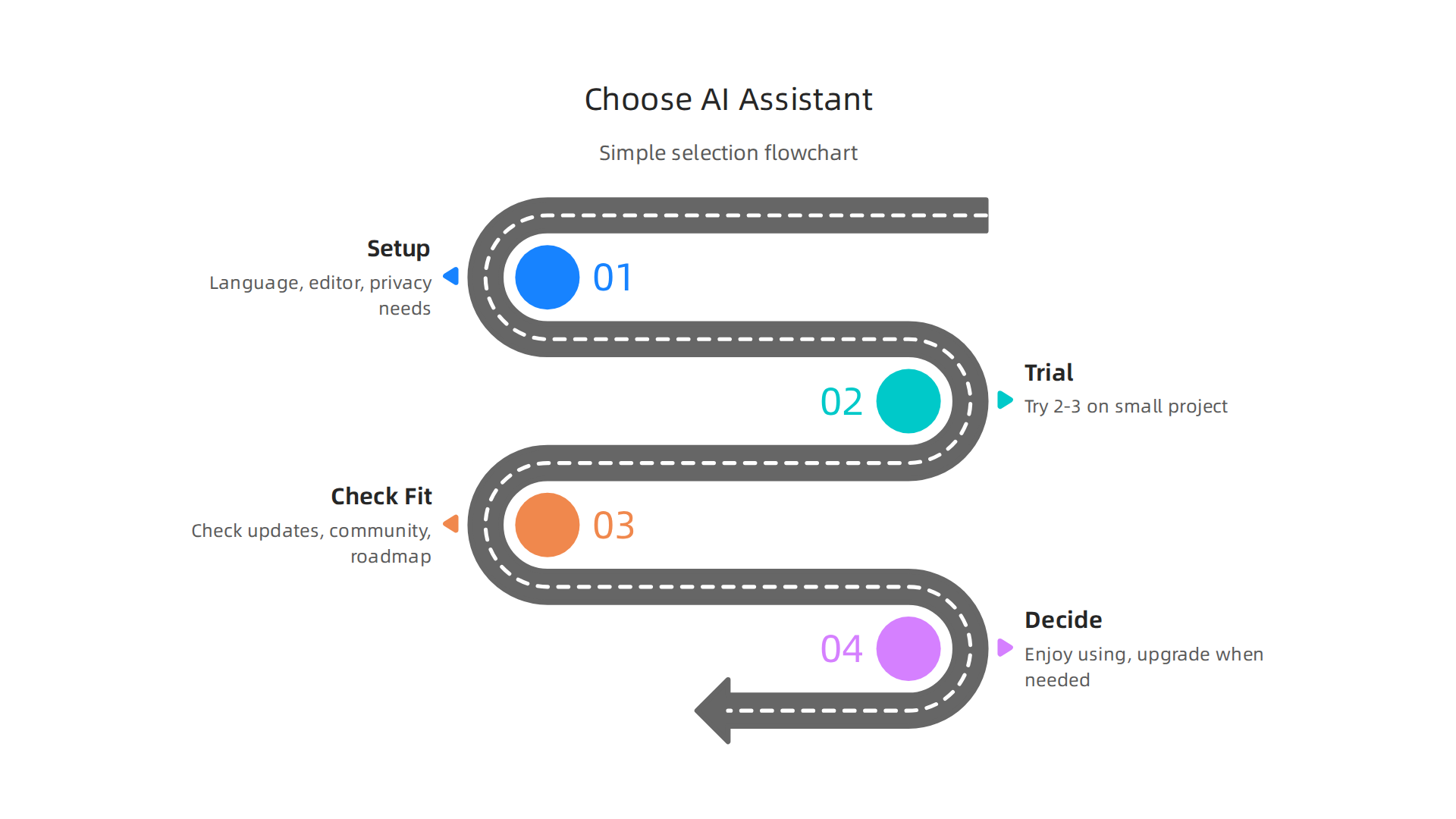
, representing the decision-making process when choosing a new tool.](https://biggestaicompanies.com/wp-content/uploads/2026/06/weblish-inline-58938.jpg)

Here is a simple process to find your match.
Start with your setup. Ask yourself three questions:
- What programming language do you use most?
- Which code editor or IDE do you work in?
- Do you need your code to stay on your own machine for privacy?
If you use VS Code, most free assistants work well. If you use JetBrains, check compatibility first. For sensitive projects, an open-source tool like Continue.dev that runs locally might be your best bet. That way no data ever leaves your computer.
Test before you commit. Pick two or three candidates from this article and try each on a small, non-critical project. Spend a few hours with each one.
Most tools offer a genuine free tier that is good enough for evaluation. For example, the Cursor free Hobby plan gives you enough completions and requests to see if the tool fits your rhythm. As one detailed review explains, the Cursor free tier is sufficient for casual coding or evaluating whether Cursor fits your workflow. Use the trial period to learn what you like.
Look beyond the feature list. A tool that looks good on paper might not keep improving. Check how often the team ships updates. Read community forums. Look at the public roadmap. A tool with an active community and regular updates will stay useful longer. If you want a broader view of how AI tools are changing the way we build software, check out our guide on AI for software companies in 2026.
Keep it simple. The best free ai coding assistant is the one you actually enjoy using. If you spend more time fighting limits than coding, switch. If the tool helps you finish tasks faster, stick with it. Start with the free tier. Upgrade only when you hit limits that slow you down. That is the smartest path for any developer, whether you are a hobbyist or an ai engineer building your next project.
Summary
This article reviews the best free AI coding assistants available in 2026 and explains how each tool fits different developer needs. It profiles GitHub Copilot Free, Tabnine, Codeium, Amazon CodeWhisperer, Replit Ghostwriter, Sourcegraph Cody and several notable alternatives, comparing IDE support, language coverage, privacy models, security scanning, and free tier limits. You’ll learn which assistants excel at local privacy, which give unlimited completions, and which understand entire codebases, along with practical trade-offs like context window size and monthly caps. The guide also offers a simple selection process—start with your editor and language, test two or three tools on a small project, and evaluate community activity and roadmaps. By following the setup tips and testing checklist, you’ll be able to pick and combine free assistants that speed development without sacrificing security or budget. The article emphasizes real-world use: keep an eye on limits, prefer local models for sensitive work, and upgrade only when limits slow you down.