

Artificial intelligence (AI) is changing how we build websites and apps. It makes them smarter and easier for people to use. We call this "frontend AI." It is all about using AI right in the parts of a website or app that you see and click on. Think of it like giving your digital products a brain to help them understand and react to users better.
What is Frontend AI and Why It Matters
Frontend AI helps make user interfaces (UIs) much better. It can suggest designs, write parts of code, or even make sure buttons and menus are in the best places for users. This means the websites and apps we use every day can learn what we like and show us things that fit our needs, making them feel more personal. This can include smarter search results or recommendations that feel just right for you.
For people who build websites and apps, called developers, frontend AI is a game-changer. It helps them work faster and easier. Instead of doing repetitive tasks, developers can use these smart tools to automate parts of their job. This can mean fewer mistakes and more time to focus on creative tasks. It makes the whole process of creating digital experiences smoother.
Making Smart Choices for Your Business
For any business, picking the right tools is key. When it comes to the "best ai for frontend development," the goal is to find tools that help your team build things faster, save money, and make your customers happier. A good web development AI tool should do more than just look fancy. It should truly help your business grow by making your products better for users and your development process more efficient. This is important because efficient AI models can process information quickly on your device, which improves user experience by lowering the time it takes for a system to respond, known as latency [https://mlcommons.org/benchmarks/inference-edge/].
This guide is made for people like investors, founders, analysts, and operators who want to understand this important new area.

You’ll learn how to pick the best AI for frontend development by looking at important things like:
- Comparison Criteria: How we decide if one AI tool is better than another.
- Integration Patterns: How these new AI tools can fit into the systems you already use.
- Decision Framework: A simple way to help you choose the right tools for your specific business goals.
We will help you understand the different options out there, including various AI agent development tools and how to find useful Master the best free AI tools for business in 2026. Our goal is to give you clear information so you can make smart decisions.
To stay on top of all the fast changes in artificial intelligence, you need reliable and timely information.
The AI Newsletter Worth Reading helps you keep up with clear daily AI updates.
Artificial intelligence (AI) is indeed making websites and apps smarter, especially in the parts we see and use directly. This is called "frontend AI," and it’s different from what goes on behind the scenes, which we call "backend AI."
What is Frontend AI? Core concepts and differentiation from backend AI
Frontend AI means that some of the smart thinking happens right where you are, on your device. This can be in your web browser, on your phone, or on a "smart" device you own. This is often called "browser-side inference" or "edge runtimes." It means the AI model processes information on your device itself, not on a faraway server in the cloud. We also see "client-server hybrid models," where some AI work happens on your device and some happens in the cloud.
These "ai agent development tools" and models are very focused on making your experience better. They can offer recommendations tailored just for you, personalize what you see on a website, or even help understand what you’re typing or saying. All these actions aim to improve the user experience (UX). To learn more about how AI works in general, check out our guide on Artificial Intelligence and Machine Learning Fundamentals.
Frontend AI has some special things to consider, like:
- Latency (Speed): When AI runs on your device, it can react much faster because information doesn’t have to travel far. This quick response time is a big win for user experience. Testing how fast AI models run on devices, known as edge computing, is an important area of study, with benchmarks helping to measure this speed precisely [https://ieeexplore.ieee.org/document/10930751/]. Measuring this "latency" or how fast a system gives results is key for agentic AI that works on edge devices [https://mlcommons.org/2026/07/mlperf-inference-v61-edge-agentic/].
- Privacy: Since the AI is running on your device, your personal data might not need to leave your device. This can make frontend AI better for privacy.
- Model Size: AI models that run on devices need to be smaller so they don’t take up too much space or use too much power.
- Offline Capability: Some frontend AI can even work when you don’t have internet access, which is super handy. To dive deeper into how this technology works, explore Edge AI: Unlocking Business Growth and Investment Opportunities in 2026.
When we talk about the "best ai for frontend development," we are often looking at tools that directly help with the user interface. These are different from general machine learning (ML) systems. Frontend-focused tools include:
- UI Assistants: These AI tools help designers and developers create better user interfaces by suggesting layouts, colors, and button placements.
- Code-Autocomplete: A helpful "web development ai tool" that predicts what a developer wants to type next, speeding up coding and reducing errors.
- Image/Video Processing in-browser: AI that can change or analyze images and videos right in your browser without sending them to a server first.
Backend AI, on the other hand, deals with the "behind-the-scenes" work. This includes things like managing large databases, running complex calculations for a big application, or powering the core logic for services that users don’t see directly. It’s about processing huge amounts of data and doing heavy lifting in the cloud, while frontend AI makes sure the user-facing part is smooth and smart.
Now that we know what frontend AI is and how it helps, let’s look at the actual tools and frameworks that make it happen. In 2026, the market for the best ai for frontend development is growing fast, with many options that help developers build smarter websites and apps. These tools fit into different groups based on what they do.
Top frontend AI tools and frameworks (comparison table and quick picks)
To help you understand the landscape of frontend AI, we can group tools by their main purpose. These include smart code assistants, tools that generate user interfaces (UI) from simple text, and special setups for building AI agents right into your web applications.
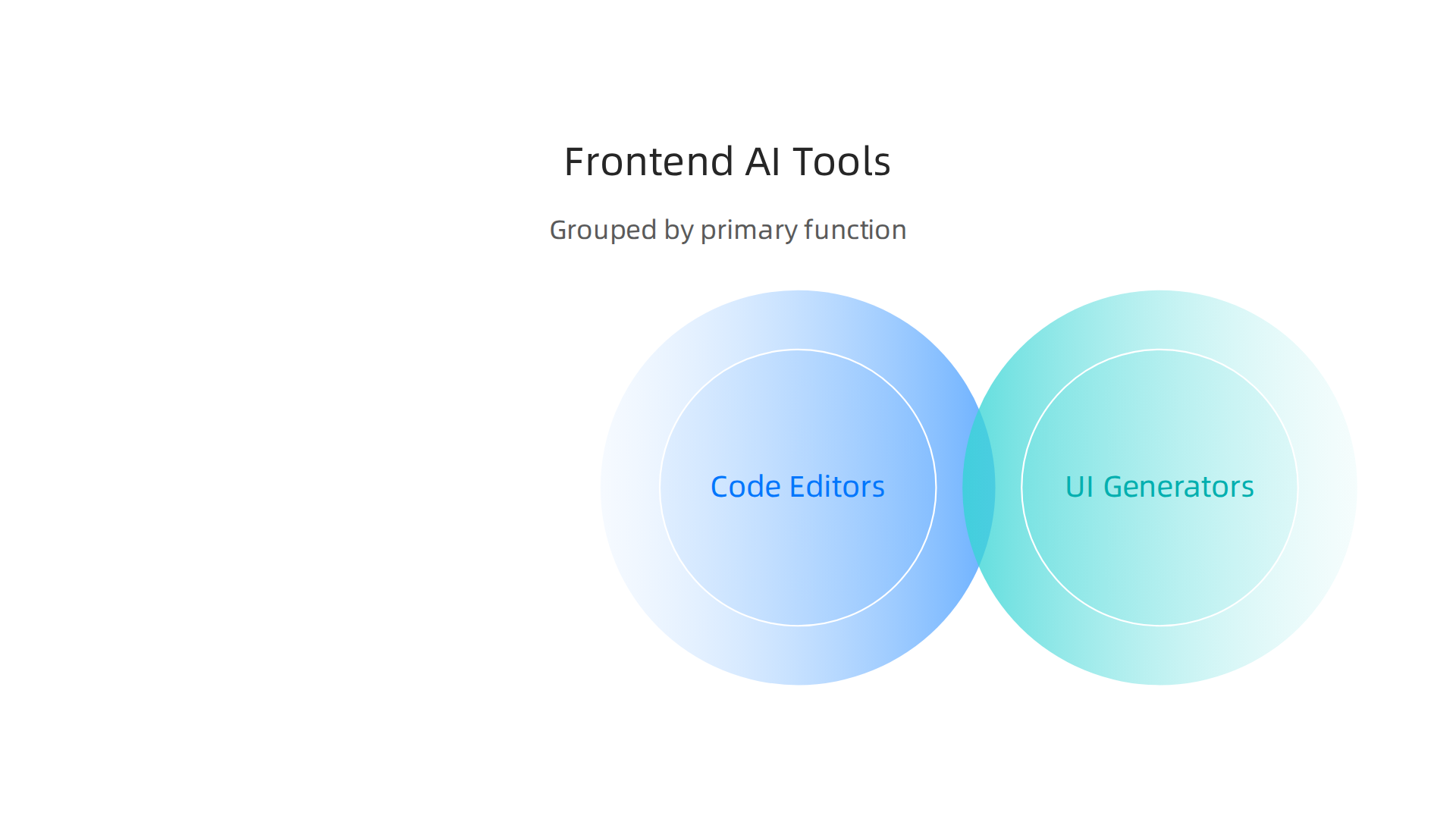
Many of these are considered top AI tools guide evaluate implement and invest smartly in 2026.
AI-Powered Code Editors and Assistants
These are like smart helpers that live inside your coding environment. They make writing code faster and with fewer mistakes.

- Cursor: This is a top choice for developers, especially for those using React. It acts as an AI-powered code editor that understands your project’s codebase, helping with everything from creating components to fixing errors Best AI Tools for Frontend Developers in 2026: Ship UI Faster. Many see Cursor as the main tool for AI integration in code generation AI Development Tools for Frontend Teams in 2026: The Stack That ….
- GitHub Copilot: A very popular web development ai tool that offers code suggestions as you type. It helps complete your code, saving you time and effort 10 Best AI Tools for Frontend Developers (2026) | AIDevStart.
- Claude Code: This is another powerful AI coding agent that assists in building and refining code. It’s known for its helpful suggestions and ability to understand complex coding tasks Best AI Coding Agents for Frontend Development in 2026.
- Windsurf: Often seen as a strong value choice, Windsurf helps with navigating large codebases and offers useful AI assistance.
UI Generation Tools
These tools let you describe the user interface you want with words, and the AI will create the code for it. It’s a game-changer for quick prototyping and design.
- v0: This tool is excellent for generating UI components, particularly for popular frameworks like React and Next.js Best Frontend Generators in 2026: Top AI Tools for Developers. It allows you to generate visual and starter code from a simple description The AI Tools Reshaping Frontend Development in 2026.
- Bolt.new: Great for quickly building full-stack prototypes without writing a lot of code yourself 10 Best AI Tools for Frontend Developers (2026) | AIDevStart.
- Google Stitch: If you’re looking for ai apps free for frontend design and generation, Google Stitch stands out as a strong option Which is the best open source model in UI, kimi k2.5, GLM 5V Turbo ….
Frontend Stacks for AI Agents
For developers wanting to embed AI agents directly into their web applications, specialized frameworks exist.
- CopilotKit: This is an open-source frontend stack specifically built for ai agent development tools in web apps. It gives you the pieces you need to make AI agents work smoothly in your user interface.
What to Know About Using These Tools
When choosing among these tools, consider a few things:
- Licensing and Cost: Many of these tools offer a free tier for basic use, which is great for personal projects or trying them out. For more advanced features, teams, or heavier use, paid subscriptions are common. Some, like CopilotKit, are open source, meaning the code is freely available, which can offer more control and lower costs Open source AI software delivers cost savings and full control in 2026.
- Vendor Lock-in: Relying heavily on one tool or platform might make it harder to switch to another later on. It’s always good to consider how easy it would be to move your project if needed.
Keeping up with all these changes can be tough.
Get clear daily AI updates from The AI Newsletter Worth Reading.
Choosing the right AI for frontend development in 2026 can feel like a big puzzle. It is not just about picking a popular tool, but about matching the tool to exactly what you need to do in your website or app. Different jobs need different kinds of AI.
Choosing the best AI for frontend development by use case (search, personalization, code assist, vision)
When you are looking for the best AI for frontend development, think about the specific tasks you want the AI to handle. This will help you narrow down your choices.
- Smart Search and Recommendations: If your goal is to offer users really smart search results or suggest products and content they might like, you’ll need AI models that can understand what people are looking for. These models can also learn from user behavior to make better suggestions.
- Personalization: Making each user’s experience unique is a powerful use of AI. This could mean changing the layout of a page, showing different content, or even adapting buttons based on what a user has done before. For building smarter frontends with AI, especially for larger businesses, looking into AI-powered micro-frontend architecture can be helpful. This lets different parts of your website work together using AI to give a more personal feel.
- Code Assistance: As we saw before, tools like Cursor and GitHub Copilot are designed to help developers write code faster and with fewer errors. They are indeed some of the best AI tools for front end development in 2026, helping with code generation and spotting mistakes. Many frontend teams use these kinds of tools for daily coding work, with Cursor being a top choice for those using React AI Coding Tool Adoption 2026: Developer Survey Results.
- Vision (Understanding Images and Video): Imagine an app that can understand what’s in a picture a user uploads, or helps sort through many videos. This requires AI that can "see" and "understand" visual information. These types of artificial intelligence applications in 2026 are becoming more common across many industries.
How to Decide Which Tool is Best
When picking your tools, keep these ideas in mind:
- Accuracy vs. Speed: How perfect does the AI need to be? And how fast must it give an answer? Sometimes, getting a quick answer is more important than it being absolutely perfect.
- On-Device vs. Hosted: Does the AI run right on the user’s phone or computer (on-device)? Or does it run on a distant server (hosted)? On-device can be faster and works offline but might not handle big tasks. Hosted AI can be very powerful but needs a good internet connection. You can learn more about how AI runs close to the user in our guide to Edge AI unlocking business growth and investment opportunities in 2026.
- Cost vs. Developer Time: How much does the AI tool cost to use? And how much faster does it make your team work? A tool that costs more might be worth it if it saves many hours of developer time.
- Fitting with Existing Tools: Make sure the new AI tool can easily work with the tools and systems you already have. This is important for smooth teamwork and avoids future problems. AI System Design Patterns for 2026 often involve thinking about how new AI pieces fit into your larger system.
Your Quick Checklist for Picking AI Tools
Before you choose a web development AI tool, ask yourself these questions:
- What problem am I really trying to solve with AI?
- How fast do I need the AI to respond to users?
- What is my budget for this AI solution?
- How well will this tool fit into my current development setup and team’s workflow?
After you pick the right AI tools for your frontend work, the next big step is putting them into action.

This means figuring out how to build with them, test them, and then show them to all your users. It’s like having all the right ingredients and then learning how to bake the perfect cake.
Integration patterns: prototypes, hybrid architectures, and production deployment
When you bring AI into your frontend, it’s smart to start small. This helps you try out new ideas without taking big risks.
Trying Out New Ideas Safely (Prototyping)
Before building everything fully, you can make simple versions, called prototypes. This helps you see if an AI feature will work well for your users.
- Mocked APIs: Think of this as pretending the AI is fully built. You can make fake responses from the AI to see how your website would react. This way, you don’t have to wait for the real AI to be ready.
- Lightweight SDKs: These are like simple toolkits that let your frontend talk to the AI easily. They help you quickly connect your app to an AI service for testing. When choosing your tools, looking into the Best AI Tools for Frontend Developers in 2026: Ship UI Faster can point you to helpful SDKs.
- Feature Flags: This is a clever way to turn AI features on or off for certain groups of users. You can show a new AI feature to only 1% of your users first. If it works well, you can show it to more people. If there are problems, you can turn it off quickly without affecting everyone.
These steps help you try out new ideas and make sure the best AI for frontend development is being used in a smart way.
Mixing AI on Your Device and in the Cloud (Hybrid Architectures)
Sometimes, AI works best when part of it runs on the user’s device (like a phone or computer) and part runs on a distant server. This is called a hybrid architecture.
- Client Inference + Server Validation: Imagine an AI that helps you type messages. The AI on your phone might suggest words quickly (client inference). But for very important checks, like making sure information is correct, a more powerful AI on a server might double-check it (server validation).
- Keeping Things in Sync: When you have AI running in different places, it’s important that all parts agree on what’s happening. This is called state synchronization. It means making sure the AI on your phone and the AI on the server always have the same information.
- Updating AI Models: AI models get better over time. In a hybrid setup, you need a plan for how to update the AI on users’ devices and on your servers. Modular designs, like those found in micro-frontend architectures, can make this easier by letting you update smaller parts without changing everything at once. This is key for companies building large applications with artificial intelligence.
Getting AI Features Ready for Everyone (Production Deployment)
Once your AI features are prototyped and working well in a hybrid setup, it’s time to release them to all your users.
- Testing: Before a full launch, you need to test AI features very carefully. This means making sure they work for different users, on different devices, and in different situations. Tools that help with AI Development Tools for Frontend Teams in 2026 can help streamline this process.
- Monitoring: After you launch an AI feature, you need to watch it closely. This means checking if it’s working as expected, if users like it, and if it’s causing any new problems. Tools for monitoring can track how well your AI is performing in the real world.
- Rollout Strategies: Instead of launching to everyone at once, you might roll out AI features slowly. This means releasing them to small groups first, then larger groups, and finally to all users. This helps catch any hidden problems early.
Incorporating AI into frontend development is a journey from initial idea to a feature used by many. It requires careful planning and smart use of AI agent development tools to make sure everything works smoothly.
Want to stay on top of all the latest AI developments?
The AI Newsletter Worth Reading: Get clear daily AI updates from The Deep View Newsletter.
Once your AI features are ready for users, it’s vital to think about how well they perform, how they protect user privacy, and how much they cost. These three things are super important for any successful AI project in frontend development. Getting them right helps ensure your users have a great experience and your project stays on budget.
Performance, privacy, and cost considerations for frontend AI
When you build with the best AI for frontend development, you must balance how fast it works, how safe it keeps user data, and the money it takes to run. Let’s look at these important parts.
Making AI Fast and Smooth (Performance)
Users want quick responses, so AI in your app needs to be speedy. This is called managing your "latency budget," which means how much delay is acceptable.
Here are ways to make AI faster:
- Smaller Models: AI models can be very big. Making them smaller through a trick called "model quantization" helps them run faster, especially on devices like phones or tablets. For example, some AI models can process images very quickly on edge platforms when optimized this way, with mean single-image latency as low as 3.99 ms when using INT8 TensorFlow Lite models Optimization of Neural Networks on Edge Platform.
- Remembering Answers (Caching): If an AI gets the same question often, it can remember the answer instead of thinking it up again. This "caching" saves time and makes things feel instant.
- Client-Side Acceleration: Running AI directly on the user’s device (like their computer or phone) can make it much faster because the data does not need to travel to a far-off server and back. This is part of edge AI unlocking business growth and investment opportunities in 2026, bringing intelligence closer to the user. Experts use benchmarks like MLPerf to measure how fast systems can process AI tasks on edge devices Benchmark MLPerf Inference: Edge | MLCommons V3.1 Results.
Keeping User Data Safe (Privacy)
Privacy is a big deal, especially with AI. You need to be careful with how your AI handles user information.
- On-Device Inference: This means the AI works right on the user’s device without sending sensitive data to the cloud. It is a great way to protect privacy because the data never leaves the user’s control.
- Blurring Data (Differential Privacy): This is a smart way to add a bit of "noise" to data. It makes it really hard to tell who individual pieces of data belong to, even when looking at lots of information. This helps protect people’s private details while still letting AI learn from the general patterns.
- Asking for Permission (Consent Flows): Always be clear and upfront with users about what data your AI uses and why. Asking for their permission and making it easy for them to say yes or no builds trust.
Understanding the Money Side (Cost)
Running AI costs money. Thinking about these costs helps you pick the right solutions.
- Inference Costs: This is the cost each time your AI "thinks" or processes a request. If your AI is used a lot, these costs can add up quickly.
- Bandwidth: Moving data between users, your servers, and AI services costs money. If your AI sends a lot of data back and forth, your bandwidth costs will go up.
- Operational Overhead: This includes the costs of managing the AI system, like paying for servers, keeping the software updated, and fixing problems. How you set up your AI, whether it is on devices or in the cloud, changes this cost.
- Using free AI tools for business and open-source options can help keep these expenses down. Learning how to manage these aspects is crucial for anyone involved in frontend AI, and a good AI tools guide can help you evaluate your choices. Utilizing open source AI software can also be a smart way to save money and gain more control over your AI projects.
By carefully planning for performance, privacy, and cost, you can build truly effective and user-friendly AI features into your web applications, ensuring the best AI for frontend development serves both your users and your business goals.
Bringing AI into your frontend projects can change a lot for users and businesses. After thinking about how fast AI works, how it keeps user data safe, and its costs, let’s look at real-world examples. These stories show us what truly makes the best AI for frontend development stand out.
What Worked: Real Examples of Frontend AI Success
Many companies are already using frontend AI to make their apps better. In 2026, we see more businesses moving past testing AI to actually using it everywhere.

Reports show that around 78% of companies now use generative AI in some part of their business, which is a big jump from last year AI Adoption Statistics Q1 2026: All Figures.
Here are some ways companies are winning with AI:
- Better Customer Help: Many companies use AI to answer customer questions quickly. For example, some AI systems can handle 82% of customer interactions on their own, making customers happier with more personal help. Some companies, like Salesforce, have seen over 84% of issues resolved using AI after many conversations AI Automation ROI Benchmark Report 2026. This often means faster service and happier users.
- Faster Workflows: AI helps teams get things done quicker. This could be anything from helping designers create website layouts faster to letting developers write code with smart suggestions. Speed is a common benefit of using AI, often leading to shorter project times and fewer mistakes. Deloitte’s 2026 AI report notes that two-thirds of organizations see gains in productivity and efficiency from using AI [The State of AI in the Enterprise – 2026 AI report | Deloitte US].
- Personalized User Experiences: Frontend AI allows apps to adapt to each user. Think of online shops that show you items you might like, or news apps that suggest articles based on what you’ve read. These smart suggestions make the app feel more useful and personal, which keeps users coming back. Many successes share strong traits, like having clear goals for what the AI should do and showing real results after using it AI Adoption in Enterprises: 16 Success Cases – LinkedIn.
What Didn’t Work: Learning from Mistakes
Even with all the good stories, bringing AI into frontend development isn’t always easy. Some projects hit bumps in the road or even fail.
- AI That Only Works in Demos: Sometimes, an AI feature looks amazing in a test, but then it doesn’t work well when real users try it. This is like building a perfect car for a race track, but it breaks down on a normal road. It happens when AI is trained on data that isn’t like what real users will provide.
- Hard-to-Use AI: If the AI makes the app confusing or slow, users won’t like it. This is called "UX friction." For example, if an AI agent development tool tries to be too clever and offers bad suggestions, it can make a developer’s job harder, not easier. The best AI for frontend development must feel natural and helpful, not in the way.
- Hidden Costs: As we talked about before, AI can be expensive. Some companies don’t plan enough for the ongoing costs of running AI, like server time or special AI software. These unplanned expenses can quickly eat into a budget and make a project too costly to continue. Even if you use some free AI apps for business, scaling up can still come with significant costs.
Your Path to Success with Frontend AI
To make sure your frontend AI project works well, here’s a simple template to follow:
- Start Small: Don’t try to do too much at once. Pick one clear problem you want AI to solve for your users.
- Test with Real Users: Get feedback from actual users early and often. See how they interact with the AI and if it truly helps them.
- Keep it Simple: Make sure your AI feature is easy to understand and use. It should make the app better, not more complicated.
- Watch the Money: Always keep an eye on how much your AI is costing. Look for ways to save money, like using efficient models or on-device processing.
- Learn and Grow: The AI world changes fast. Be ready to learn new things and adjust your plans.
By learning from what has worked and what hasn’t, you can better plan your own projects and choose the best AI for frontend development.
Stay on top of the rapidly changing AI landscape. The AI Newsletter Worth Reading delivers clear daily AI updates directly to your inbox.
To make sure your frontend AI project works well, you need the right people on your team. Building the best AI for frontend development means carefully choosing who will design, build, and maintain these smart features. Finding these talented folks can be a challenge in 2026, as the demand for AI skills is very high.
Key Roles for Frontend AI Teams
Bringing AI into user-facing parts of an application needs a mix of different skills. Here are some important roles:
- Frontend ML Engineers: These people are great at both building user interfaces and working with AI models. They connect the smart parts of AI to what users actually see and click. Key skills they need include machine learning, understanding AI agents, and knowing how to use tools for AI-assisted development. Many frontend developer job postings in 2026 now mention AI agents, machine learning, and using tools like GitHub Copilot Frontend Developer AI in 2026. They often work with programming languages like Python and JavaScript frameworks such as React Big Tech’s 2026 Hiring Trends for Software & AI Engineers.
- ML Infrastructure Engineers: These team members build and keep the systems running that power your AI. They make sure the AI models can work smoothly and quickly.
- UX/ML Designers: Good design is still super important. These designers make sure the AI features are easy and helpful for users, not confusing. They bridge the gap between complex AI and simple user experiences.
- MLOps for Edge Specialists: For AI that runs on user devices (like a phone app), these experts help manage the AI models directly on those devices. This is a special area called Edge AI unlocking business growth and investment opportunities in 2026.
Finding and Building Your Frontend AI Team
Hiring for AI roles in 2026 can be tough. Companies often pay more for AI skills, with some workers earning a big wage premium compared to those without AI skills in similar jobs AI-augmented workers now earn 62% more. The demand is so high that 72% of employers find it hard to fill AI positions 2026 Corporate AI Compensation Study.
- For Startups: Smaller companies might look for people who can do a bit of everything. One frontend ML engineer might handle both the AI logic and the user interface. Teams are usually more flexible and work closely together.
- For Larger Companies: Bigger businesses might have more specialized teams. You might see a dedicated "AI department" that works with the frontend teams. Clear ways for teams to talk and work together are key for making a great web development AI tool.
When hiring, look for candidates who have actually built things with AI. Ask them about past projects where they used AI to solve real user problems. It’s helpful to see how they think about making AI both smart and easy to use. For those looking for these roles, aiming for Higgsfield AI careers might be a good path to gain experience. Many roles for AI engineers offer good pay, with senior experts making over $200,000 in base pay before other benefits AI Salary Premium.
Summary
This article explains frontend AI — the use of artificial intelligence in the parts of websites and apps users see and interact with — and why it matters for designers, developers, and business leaders. It covers core concepts like on-device (edge) inference, client-server hybrids, and the practical trade-offs between latency, privacy, and model size. You’ll find grouped tool recommendations (code assistants, UI generators, agent stacks), a decision framework for selecting the right tool for search, personalization, code assist or vision use cases, and a quick checklist to evaluate vendors. The guide walks through prototyping, hybrid integration patterns, production rollout strategies, and the operational costs to expect. It also highlights real success stories and common failure modes so you can avoid pitfalls. Finally, it outlines the team roles and hiring challenges needed to deliver frontend AI features effectively.